SunFounder Starter Kit for Arduino Uno R3: every lesson, simulated
The kit’s 23 C lessons, in order, each as a circuit that runs in your browser on the pins the lesson uses. Open one beside the tutorial and compare it jumper for jumper.
23 of the 23 lessons with a circuit run here, 1 of them with a change we name.
Not affiliated with SunFounder. Lesson titles are referenced so you can follow along.
Every lesson in the kit’s order
Lesson numbers and titles follow the 23 C lessons of the online tutorial "For UNO User" (the 19 Scratch lessons are not covered). Each circuit uses the kit’s parts on the pins the lesson uses.
- 1
Blinking LED
Runs hereAn LED with a 220 ohm resistor on pin 9, blinking once a second.
- 2
Flowing LED Lights
Runs hereEight LEDs on pins 2 to 9 lit one after another by a for loop.
- 3
Controlling LED by Button
Runs hereA button on pin 12 with a 10k pull-down lights the LED on pin 13.
The 0.1 uF debounce capacitor is left out; the sketch filters the bounce instead.
- 4
Doorbell
Runs hereA button on pin 2 rings a buzzer on pin 8.
The 0.1 uF debounce capacitor is left out; the sketch filters the bounce instead.
- 5
Tilt Switch
Runs hereTip the switch on pin 2 and the LED on pin 13 lights.
- 6
Relay
Runs herePin 8 drives a transistor that pulls in a relay, and the relay lights an LED.
- 7
RGB LED
Runs hereRed on pin 11, green on 10, blue on 9, showing seven colors.
- 8
Controlling an LED by Potentiometer
Runs hereA knob on A0 sets the brightness of an LED on pin 9.
- 9
Photo resistor
Runs hereA photoresistor on A0 lights up to eight LEDs on pins 5 to 12.
- 10
Servo
Runs hereA servo on pin 9 moving through its range.
- 11
LCD1602
Runs hereA 16x2 LCD on pins 4, 6 and 10 to 13, with a scrolling line.
The contrast knob is left out: the simulated display is always readable, so V0 goes to ground.
- 12
Thermistor
Runs hereA thermistor on A0 with a 10k pull-up, read out on the LCD in both scales.
The contrast knob is left out: the simulated display is always readable, so V0 goes to ground.
- 13
Ultrasonic
Runs hereAn HC-SR04 on pins 2 and 3, the distance on the LCD.
The contrast knob is left out: the simulated display is always readable, so V0 goes to ground.
- 14
Infrared-Receiver
Runs hereAn IR receiver on pin 2 names the remote’s buttons.
The simulated remote’s buttons may be labeled differently from the one in your box; the decoding is the same.
- 15
Humiture Sensor
Runs hereA DHT11 on pin 3, temperature and humidity on the LCD.
The contrast knob is left out: the simulated display is always readable, so V0 goes to ground.
- 16
Joystick PS2
Runs hereX on A0, Y on A1 and the switch on pin 8.
- 17
7-Segment Display
Runs, with a changeA seven-segment digit wired straight to pins 4 to 11, counting 0 to 9.
One 220 ohm resistor on the common pin stands in for the lesson’s resistor on every segment.
- 18
74HC595
Runs hereA 74HC595 on pins 11, 8 and 12 shows 0 to F on one digit.
Here Q0 to Q6 drive segments a to g; if your wiring puts them the other way around, reverse the bit patterns in the sketch.
- 19
Stepper Motor
Runs hereA stepper on pins 2 to 5 follows a knob on A0.
- 20
Simple Creation-Stopwatch
Runs hereA four-digit display, segments on 2 to 9 and digits on 13 to 10, counting seconds.
- 21
Simple Creation-Answer Machine
Runs hereThree answer buttons, a reset button, four LEDs and a buzzer: first to press wins.
- 22
Simple Creation-Small Fan
Runs hereA button on pin 2 steps a motor on an L293D (pins 9 and 10) through three speeds.
The 0.1 uF debounce capacitor is left out; the sketch filters the bounce instead.
- 23
Simple Creation - Digital Dice
Runs hereA digit on a 74HC595 spins; a button on pin 2 stops it on a roll.
The 0.1 uF debounce capacitor is left out; the sketch filters the bounce instead.
Lesson list and pins read from SunFounder’s online tutorial. The explanations on this page are our own.
A link and a QR code for this page
Print either one beside a lesson, or tape it inside the box lid. Both open this page.
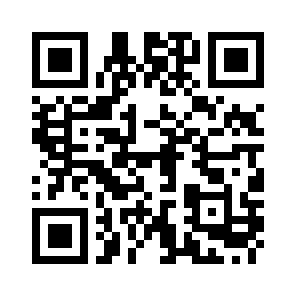
mokxi.com/k/sunfounder-starter
The code is black on white with a quiet border, so it prints and scans at any size from 2 cm up.
Download the QR code (SVG)Make kits? See what we offer kit makers.
Questions about this page
Is this made by SunFounder?
No. Mokxi is independent and is not affiliated with SunFounder. The page follows the kit’s lessons so you can use the two side by side; the circuits, sketches and explanations are Mokxi’s own.
Do I need the kit?
No. Every lesson that runs here runs in the browser, so you can try them before you buy a kit, or keep going while a part is missing or broken.
Is the code the same as in my manual?
The pins and the parts are the same, and the sketches use the same libraries where the kit does. The code itself is written for this page, with comments that explain each step, so it will not match the manual line for line.
What do "with a change" and "coming soon" mean?
A lesson marked "with a change" runs, but something differs from the kit, and the note under it says exactly what. "Coming soon" means we cannot simulate that lesson yet, and the note says why. We do not mark a lesson as running unless it does.
Is it free?
Yes. Every lesson on this page opens with no account. A free account saves your own copies of the circuits.
Other kits
Companion pages for more starter kits.
Start at lesson one
Every lesson opens in the editor with no account and nothing to install. Run it, change a number, run it again.