

Mokxi and Wokwi for schools, compared fairly
Mokxi is a free electronics simulator in the browser and an alternative to Wokwi for classes and breadboard work: a real breadboard layout, bench instruments beside the code, and no account needed to start. Wokwi is an excellent browser simulator for makers, with a large board and sensor library, networking and mature developer tooling. Mokxi combines real firmware simulation and instruments with a complete teacher workflow. Here is where each one is the right answer.
- 192parts on the bench
- 25boards running now
- 1.00xreal time, on every board
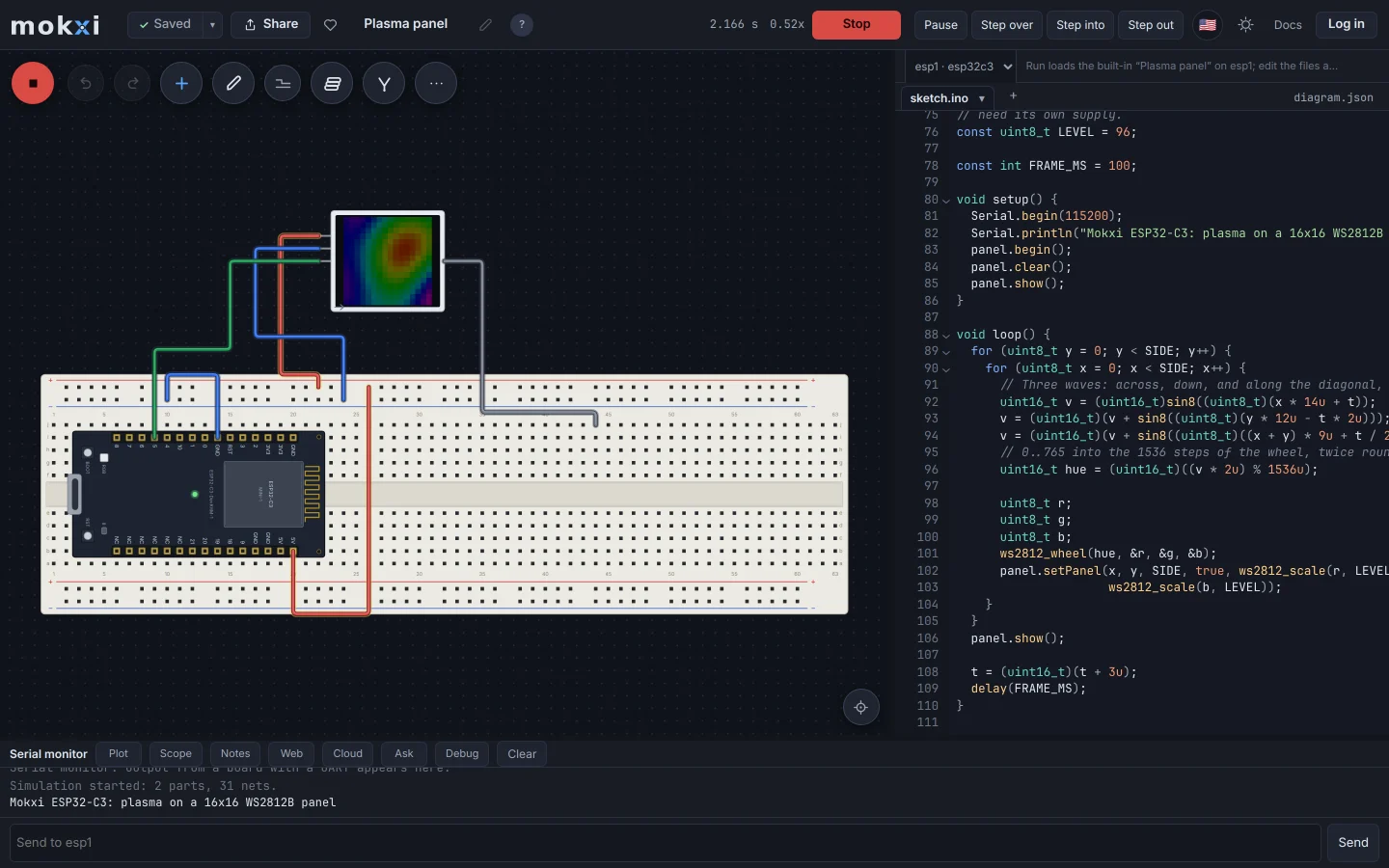
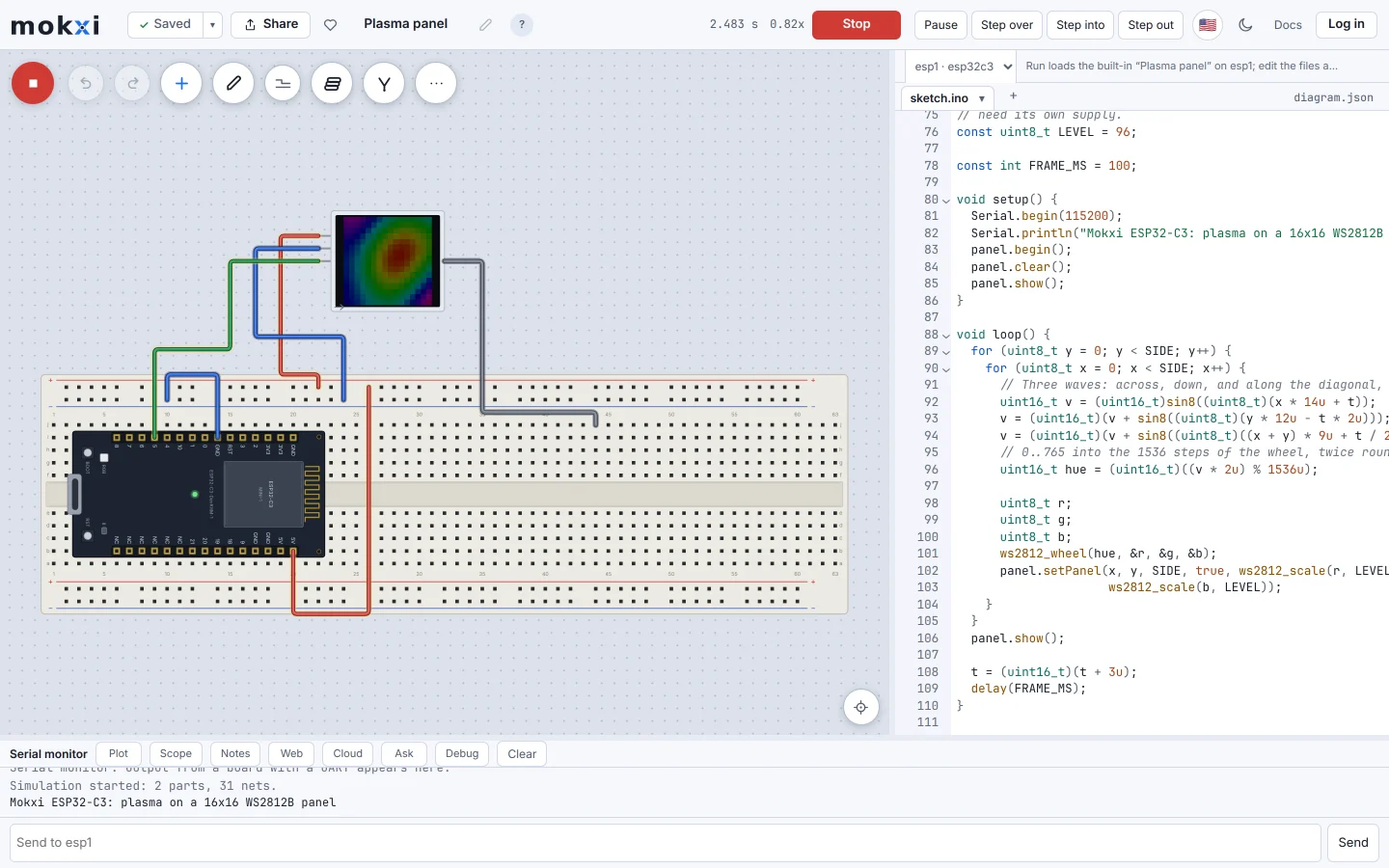
The Mokxi editor running an ESP32-C3 that drives a 16 by 16 WS2812 LED panel, with the sketch open beside the wired board.
Where Wokwi leads
These are the strongest reasons to choose Wokwi today.
- A broad library of boards, sensors and displays, including Arduino, ESP32, STM32 and Raspberry Pi Pico projects.
- Strong maker tools: simulated WiFi, MQTT and HTTP, an eight-channel logic analyzer, SD cards and custom chips.
- Advanced debugging through its browser debugger and GDB workflows, plus a VS Code extension and CI tooling.
- A large public project community where a shared link is an easy way to ask for help or show a working build.
Where Mokxi leads
These are working parts of Mokxi you can open and test for yourself.
- A complete classroom workflow: create a class, assign one starter, watch each student work, run the same checks, return feedback and export the gradebook.
- A physical 0.1 inch breadboard with rails and a center channel, alongside the board and the code, so wiring lessons map directly onto the bench.
- A four-channel logic analyzer with UART, I2C and SPI decoding, plus source breakpoints, stepping, registers and watches in the same browser workspace.
- A school-safe API lab lets students make normal HTTPClient requests, change JSON responses and inspect the whole exchange without exposing an API key or school network.
- Students can open the editor and run a circuit before creating an account, which makes a first classroom trial quick.
- Built-in learning paths and a twelve-week electronics curriculum connect the simulator to the lesson a teacher is already giving.
Side by side
Checked on 2026-09-19. If anything here has gone stale, that is our mistake and we want to know.
Which one should you use
Straight answers. Where the other one is the right call, we say so.
You want the widest sensor library, MQTT, SD cards or custom chips
Wokwi. Those are among its clearest strengths today.
You need a teacher to assign work and read every submission in one place
Mokxi. The class workflow is built around that job.
You want VS Code or CI integration
Wokwi. Its official tools already cover both.
You want a first breadboard lesson followed by reusable checks and feedback
Mokxi.
Looking for a Wokwi alternative?
Wokwi is very good at what it does, and for many makers the honest answer is to keep using it. The people who look for an alternative are usually teachers who need a class workflow around the simulator, learners who want a real breadboard layout and bench instruments next to the code, or people who want to try a project without an account.
Mokxi is built around those needs: a 0.1 inch breadboard with rails and a center channel, an oscilloscope, a logic analyzer with UART, I2C and SPI decoding, a multimeter and a bench supply as parts you wire in, a source debugger, and a class workflow with starters, checks, submissions and a gradebook. The free plan has every board and every part, and the editor opens and runs without an account.
There is no importer for Wokwi projects. Moving one over means placing the parts and pasting the sketch. Standard Arduino calls and the common library headers compile as they are; Wokwi’s MQTT, SD card and custom chip support have no equivalent in Mokxi today, so a project built on those should stay where it is.
Compare the other options
The same straight comparison for the tools teachers, students and makers also consider.
In short
Is there a free Wokwi alternative for the ESP32?
Mokxi runs the ESP32-C3, the ESP32-C6, the classic ESP32 DevKit and the ESP8266 on its free plan, with a simulated WiFi network for HTTP lessons. Wokwi covers a wider range of ESP32 variants and features, including MQTT.
Can I use Mokxi from VS Code?
No. Mokxi runs in the browser, with the simulation on your own machine, and there is no VS Code extension or CI integration today. Wokwi has both.
Should I use Mokxi if you want the widest sensor library, mqtt, sd cards or custom chips?
Wokwi. Those are among its clearest strengths today.
Should I use Mokxi if you need a teacher to assign work and read every submission in one place?
Mokxi. The class workflow is built around that job.
Should I use Mokxi if you want vs code or ci integration?
Wokwi. Its official tools already cover both.
Should I use Mokxi if you want a first breadboard lesson followed by reusable checks and feedback?
Mokxi.
Try it yourself
A comparison page is somebody else’s opinion. Open the editor, press Run and make up your own mind.