SunFounder Inventor Lab Kit: every lesson, simulated
All 34 hands-on lessons, in order, each a circuit you can run in your browser on the pins the lesson uses: from a first LED and a multimeter to a robot that plays the dinosaur game, a radar and a card-operated door.
Not affiliated with SunFounder. Lesson titles are referenced so you can follow along.
Every lesson in the kit’s order
Lesson numbers and titles follow the 34 hands-on lessons of the online tutorial. Each circuit uses the kit’s parts on the pins the lesson uses.
33 of the 33 lessons with a circuit run here, 2 of them with a change we name, 1 setup lesson needs no circuit.
- 1
Get Started Arduino
No circuitInstalling the Arduino IDE and meeting the board. Here the editor and the compiler already run in the browser.
- 2
Your First Circuit
Runs hereA red LED and a 220 ohm resistor on the Uno’s 5 V pin, no code: the Uno is only the battery.
- 3
Measure with Multimeter
Runs hereThe first circuit with a multimeter in it. Read the current, then switch the dial to volts and move the leads.
- 4
Ohm’s Law: A Journey Through the Essentials of Electrical Circuits
Runs hereGive the resistor 1k or 10k and watch the meter: more ohms, less current, just as Ohm’s law says.
- 5
Series Circuit vs. Parallel Circuit
Runs hereTwo LEDs in series share the 5 V and glow dimly; two in parallel each get all of it. The meter shows the difference.
- 6
Blink LED
Runs hereThe first sketch: an LED on pin 3, on for half a second and off for half a second.
- 7
Let’s Make Traffic Lights!
Runs hereGreen on pin 3, yellow on 4 and red on 5, running through a traffic light’s cycle.
- 8
Traffic Light with Pedestrian Button
Runs hereA crossing button on pin 8 with a 10k pull-down stops the cars and turns the light red.
- 9
Dimmable Desk Lamp
Runs hereA potentiometer on A0 sets the brightness of an LED on pin 9 with analogWrite.
- 10
Morse Code
Runs hereAn active buzzer on pin 9 sends SOS: three short beeps, three long, three short.
- 11
The Colors of the Rainbow
Runs hereAn RGB LED with red on pin 11, green on 10 and blue on 9 runs through the colors of the rainbow.
- 12
Siren Sound
Runs hereA passive buzzer on pin 9 sweeps up and down in pitch with tone(), like a siren.
- 13
Joystick LED Navigator
Runs herePush the joystick (A0, A1 and pin 2) and the LED on that side lights: left 11, right 8, up 10, down 9.
- 14
Play Dinosaur Game
Runs, with a changeA light sensor on A0 spots a dark cactus on the screen and a servo on pin 9 presses the space bar to jump.
There is no game screen in the simulator: drag the light sensor darker to play the cactus going by, and watch the servo jump.
- 15
Cool or Warm Colors
Runs hereA knob on A0 blends the RGB LED on 11, 10 and 9 from a warm orange to a cool blue.
- 16
Summer Fan
Runs hereAn L293D drives a motor from pins 10 and 9; four buttons on pins 4 to 7 choose off, slow, medium or fast.
The lesson powers the motor side from a breadboard power module and a 9 V battery; here the Uno’s 5 V feeds it.
- 17
Exploring the I2C LCD1602 Display
Runs hereAn I2C LCD on A4 and A5: scan the bus for its address, then write on it.
- 18
ON/OFF Desk Lamp
Runs hereEach press of the button on pin 7 flips a relay module on pin 2, and the relay switches an LED lamp.
- 19
Smart Trash Can
Runs hereAn ultrasonic sensor on pins 8 and 7 sees a hand, and a servo on pin 9 opens the lid.
- 20
Automatic Soap Dispenser
Runs hereA hand under the ultrasonic sensor (8 and 7) runs a pump for one dose through an L293D on pin 2.
The lesson powers the motor side from a breadboard power module and a 9 V battery; here the Uno’s 5 V feeds it.
- 21
Temperature Alarm
Runs hereA thermistor on A0 turns an RGB LED on 10, 11 and 12 blue when cold, green when comfortable and red when too hot.
- 22
Remote-Controlled Colorful Light
Runs hereThe number buttons on the IR remote (receiver on pin 2) pick the color of the RGB LED on 11, 10 and 9.
- 23
Play “Twinkle, Twinkle, Little Star”
Runs hereA passive buzzer on pin 9 plays the tune from an array of notes and an array of lengths.
- 24
The Pomodoro Timer
Runs hereAn active buzzer on pin 9 marks 25 minutes of work and 5 of rest, timed with millis().
- 25
Reverse Radar System
Runs hereThe closer the wall to the ultrasonic sensor, the faster the buzzer on pin 9 beeps, with the distance on an I2C LCD.
- 26
Cyber Dice
Runs hereHold the button on pin 9 to roll; a seven-segment digit on pins 2 to 8 spins and stops on 1 to 6.
- 27
Flowing Light with 74HC595
Runs hereEight LEDs on a 74HC595 (DS 11, SH_CP 8, ST_CP 12) fill up one at a time.
- 28
Show Number with 74hc595
Runs hereType a digit into the serial monitor and the 74HC595 shows it on a seven-segment display.
Q7 is left unwired here, since the sketch never lights the decimal point; the lesson wires it to dp.
- 29
Plant Monitor
Runs hereLight on A0, soil moisture on A1 and temperature on A2 on an I2C LCD, and a pump on pin 12 for dry soil.
The lesson powers the motor side from a breadboard power module and a 9 V battery; here the Uno’s 5 V feeds it.
- 30
Arduino Radar System
Runs, with a changeA servo on pin 12 sweeps an ultrasonic sensor (TRIG 10, ECHO 11) and reports each angle and distance.
The board’s half runs here and prints each angle and distance; the radar screen is a Processing sketch on your computer.
- 31
Guess Number
Runs hereGuess the board’s secret number with the IR remote; the I2C LCD narrows the range after each try.
- 32
Stopwatch
Runs hereMinutes and seconds on a four-digit display: segments on pins 2 to 9, digits on 10 to 13.
Each segment line has its own 220 ohm here; the lesson puts its resistors on the digit lines.
- 33
Exploring the RF522-RFID Module
Runs hereAn RC522 reader (SS 10, RST 9) reads a card’s ID and shows it on the I2C LCD.
- 34
Access Control System
Runs hereThe right card turns a stepper on pins 2 to 5 to open the door; the wrong one is refused on the LCD.
Lesson list and pins read from SunFounder’s online tutorial. The explanations on this page are our own.
Everything the SunFounder Inventor Lab Kit can build
159 projects use only the parts in this box, ordered from a first blink to the hardest.
Beginner (91)
- EEPROM: memory that survives a reset
- Serial echo: the board repeats what you type
- A divider, measured
- Active buzzer
- Active buzzer module on pin 3
- I2C LCD1602: find its address, then say hello
- Joystick on A0, A1 and pin 2
- Joystick module: A0, A1 and pin 3
- Joystick on A0, A1 and pin 8
- Morse code on an active buzzer (pin 9)
- Passive buzzer scale on pin 12
- Passive buzzer module on pin 3
- Passive buzzer on pin 8
- Pomodoro timer on an active buzzer (pin 9)
- RC522 RFID reader (SS 10, RST 9)
- Servo sweep
- Servo sweep on pin 10
- Servo sweep on pin 3
- Siren on a passive buzzer (pin 9)
- Ultrasonic distance on pins 12 and 11
- Ultrasonic sensor on 8 and 7, the LED on 13 when out of range
- Stepper motor on pins 8 to 11
- Twinkle, Twinkle, Little Star on a passive buzzer (pin 9)
- Read a knob
- Digital piano
- Fade an LED
- First blink
- IR decoder
- Blink an LED on pin 13, once a second
- Blink an LED on pin 3
- Blink an LED on pin 8
- Blink an LED on pin 9
- Breathing LED on pin 5
- Button on pin 12 lights the LED on pin 13
- Flowing lights on pins 2 to 9
- IR remote codes on pin 12
- IR receiver module on pin 11
- IR receiver on pin 2
- LED module on pin 7, blinking
- An LED on the 5 V pin
- Mood dial
- Four brightnesses from PWM: pins 5, 6, 9 and 10
- RGB colors on pins 11, 10 and 9
- RGB LED on pins 3, 5 and 6
- RGB fade on pins 6, 5 and 3
- RGB LED module: red 11, blue 10, green 9
- Random colors on an RGB LED (pins 11, 10 and 9)
- Set the LED on pin 11 from the serial monitor
- A knob on A0 points the servo on pin 3
- Seven-segment digit on pins 4 to 11
- Thermometer: a thermistor on A0
- Traffic lights on pins 3, 4 and 5
- Two LEDs take turns on pins 4 and 5
- RGB color mixer
- Arduino Uno blink
- Button and LED
- Grabbing candy bowl
- Dreidel spinner
- Push button on pin 12 lights the LED on pin 9
- A push button lights an LED, no code
- Push button on pin 12 toggles the LED on pin 9
- Dinosaur game player: light sensor on A0, servo on 9
- Doorbell: button on pin 2, buzzer on pin 8
- Remote control light switch (IR on 12, servo on 11)
- Joystick lights the way (LEDs on 8 to 11)
- Four-key keyboard
- Knob on A0 dims the LED on pin 9
- Photoresistor night light: A0 dims the LED on pin 9
- An LED on 5 V, with a multimeter on it
- Series and parallel LEDs on 5 V
- Light meter: photoresistor on A0, LEDs on pins 5 to 12
- Relay module on pin 8
- Three knobs mix an RGB LED (pins 11, 10 and 9)
- Starship control panel
- Traffic lights with a crossing button on pin 8
- Two buttons, one LED
- Warm or cool light: a knob blends an RGB LED
- Night light
- Ofrenda candles
- Piezo melody
- Mini pump plant waterer
- Dimmer
- Night light with a light sensor
- Eid greeting card
- Message display gift
- A button doorbell with a lamp, no code
- On and off desk lamp: button on 7, relay on 2
- Metronome
- Police lights and siren
- Rescue beacon
- Red envelope box
Intermediate (59)
- Two Arduino Unos talking over serial
- Pi digits on an LCD
- DC motor on an L293D (pins 5, 3 and 4)
- Radar sweep: ultrasonic on 10 and 11, servo on 12
- RFID reader with an I2C LCD
- Smart trash can: ultrasonic on 8 and 7, servo lid on 9
- Stepper follows a knob (pins 2 to 5)
- LED I-V curve
- Motor both ways
- Stepper turntable
- Arpeggiator
- LED bar chaser
- Electronic dice
- Joystick bar graph
- Hex digits on a common-anode display (74HC595, pins 11, 12, 13)
- Countdown digit
- Hex digits through a 74HC595 (pins 11, 8 and 12)
- One-digit countdown on a 74HC595 (pins 2, 4 and 3)
- One-digit countdown on a 74HC595 (pins 8, 10 and 9)
- Falling rain on eight LEDs (74HC595, pins 11, 12 and 13)
- Flowing light on a 74HC595 (pins 11, 8 and 12)
- Eight LEDs on a 74HC595 (pins 12, 9 and 11)
- Eight LEDs on a 74HC595 (pins 2, 5 and 4)
- A light runs along eight LEDs on a 74HC595 (pins 11, 12 and 13)
- Serial monitor drives eight LEDs (74HC595)
- Type a digit: serial to a 74HC595 display (pins 11, 8 and 12)
- Cyber dice: seven-segment on pins 2 to 8, button on 9
- Summer fan: four buttons and an L293D (pins 9 and 10)
- Four-digit display on a 74HC595 (pins 8, 10 and 9)
- Guess the number: IR remote and an I2C LCD
- I2C LCD clock and thermometer
- A knob drives a motor both ways through an L293D
- Remote stepper
- Remote stepper, a whole turn a press
- Reversing radar: ultrasonic, buzzer and I2C LCD
- Automatic soap dispenser: ultrasonic on 8 and 7, pump on 2
- Temperature alarm: thermistor on A0, RGB on 10, 11 and 12
- Thermometer on an I2C LCD
- Morse code telegraph decoder
- RFID door
- Buffon's needle
- Remote-controlled lamps
- Photocell bar graph on a 74HC595
- Photoresistor bar graph on a 74HC595 (pins 9, 12 and 11)
- Digital dice on a 74HC595 (pins 11, 8 and 12)
- Three-speed fan on an L293D (pins 9 and 10)
- Remote-controlled colors: IR on pin 2, RGB on 11, 10 and 9
- Photocell light meter
- Quiz buzzer for three players
- Looper
- Servo turnouts with a panel
- Reaction duel
- Parking sensor
- Tap-tempo metronome
- ADSR synth
- Reaction timer
- Ringtone player
- Ultrasonic water tank level monitor
- Lion dance head
Advanced (9)
- Two Arduino Unos as an SPI master and slave
- CAN bus dash reader
- Stopwatch on a four-digit display
- Stopwatch: four-digit display, digits on 10 to 13
- Four-digit counter
- Four digits from one 74HC595 (pins 11, 12, 13 and 7 to 4)
- Access control: RFID card opens a stepper door
- Plant monitor: light, soil, temperature and a pump
- Satellite tracker
Add a few parts, unlock more projects
The smallest shopping lists that open the most new projects for the SunFounder Inventor Lab Kit.
Add Addressable RGB LEDs
Unlocks 13 more projects:
Add ili9341 and Addressable RGB LEDs
Unlocks 25 more projects:
Add ili9341, Character LCD, 16x2 and Addressable RGB LEDs
Unlocks 35 more projects:
Projects that combine two kits
Own another kit as well? These need parts from both boxes, and neither can build them alone.
The kit’s parts, and what plays them here
The parts in the SunFounder Inventor Lab Kit, by the names its maker gives them. Each one is in the editor’s parts panel.
- Arduino Uno R3 Arduino Uno R3
- Breadboard Full-size breadboard
- Red, yellow and green LEDs LED
- RGB LED RGB LED
- 220 ohm and 10k ohm resistors Resistor
- Buttons Pushbutton
- Potentiometer Potentiometer
- Active buzzer Buzzer
- Passive buzzer Piezo speaker
- Joystick module Thumb stick
- Photoresistor Light sensor
- Thermistor Thermistor, 10k NTC
- Servo Hobby servo
- Motor DC motor
- L293D chip Motor driver, L293D
- Pump Mini water pump
- Relay module Relay module
- I2C LCD1602 Character LCD with I2C backpack
- Ultrasonic module Ultrasonic ranger
- IR receiver Infrared receiver, VS1838B
- Remote control Infrared remote, 21 buttons
- 7-segment display Seven segment display
- 4-digit 7-segment display Four-digit seven segment, multiplexed
- 74HC595 74HC595 shift register
- Soil moisture sensor Soil moisture sensor, capacitive
- RFID module and tag RFID reader, MFRC522
- Stepper motor and ULN2003 module Stepper motor, 28BYJ-48 with ULN2003
- Multimeter Multimeter
- Breadboard power module, 9 V battery and battery cable Not needed here: the Uno’s 5 V feeds the motor and the pump.
- USB cable and jumper wires The editor connects the board for you, and wires are drawn between pins.
A link and a QR code for this page
Print either one beside a lesson, or tape it inside the box lid. Both open this page.
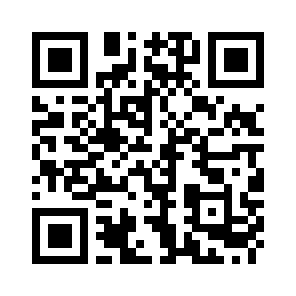
mokxi.com/k/sunfounder-inventor
The code is black on white with a quiet border, so it prints and scans at any size from 2 cm up.
Download the QR code (SVG)Make kits? See what we offer kit makers.
Questions about this page
Is this made by SunFounder?
No. Mokxi is independent and is not affiliated with SunFounder. The page follows the kit’s lessons so you can use the two side by side; the circuits, sketches and explanations are Mokxi’s own.
Do I need the kit?
No. Every lesson that runs here runs in the browser, so you can try them before you buy a kit, or keep going while a part is missing or broken.
Is the code the same as in my manual?
The pins and the parts are the same, and the sketches use the same libraries where the kit does. The code itself is written for this page, with comments that explain each step, so it will not match the manual line for line.
What do "with a change" and "coming soon" mean?
A lesson marked "with a change" runs, but something differs from the kit, and the note under it says exactly what. "Coming soon" means we cannot simulate that lesson yet, and the note says why. We do not mark a lesson as running unless it does.
Is it free?
Yes. Every lesson on this page opens with no account. A free account saves your own copies of the circuits.
Other kits
Companion pages for more starter kits.
Start at lesson one
Every project opens in the editor with no account and nothing to install. Run it, change a number, run it again.