

Mokxi and Tinkercad Circuits for schools, compared fairly
Mokxi is a free Tinkercad Circuits alternative that runs in your browser. It runs ESP32, Raspberry Pi Pico and STM32 boards as well as the Arduino Uno, compiles your C++ sketch in the tab, and needs no account to start. Both tools put a circuit and code in a browser for a class. Tinkercad Circuits is the established beginner tool, while Mokxi carries a class from a starter circuit through live work, checks and submissions. Here is where each one is the right answer.
- 192parts on the bench
- 25boards running now
- 1.00xreal time, on every board
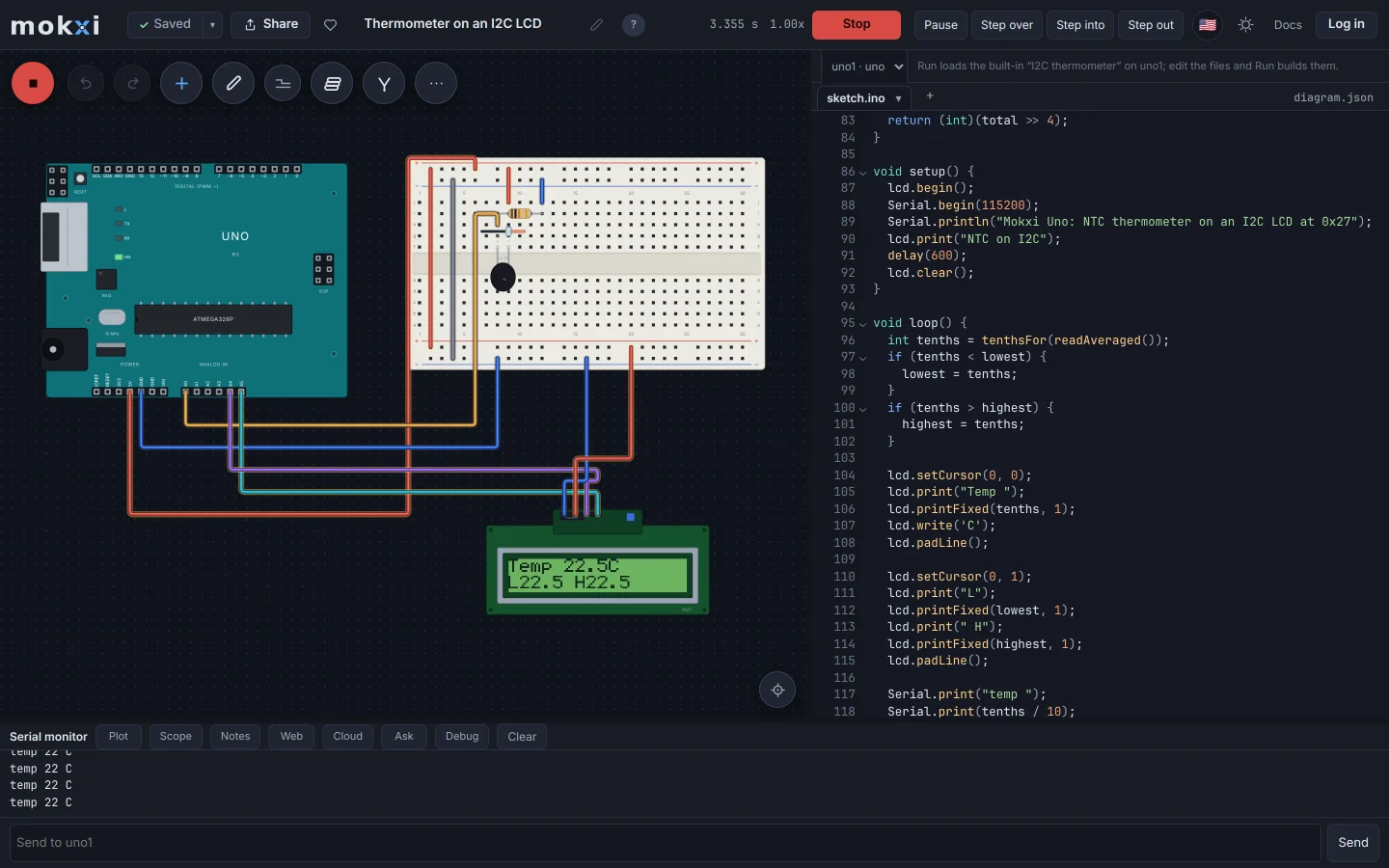
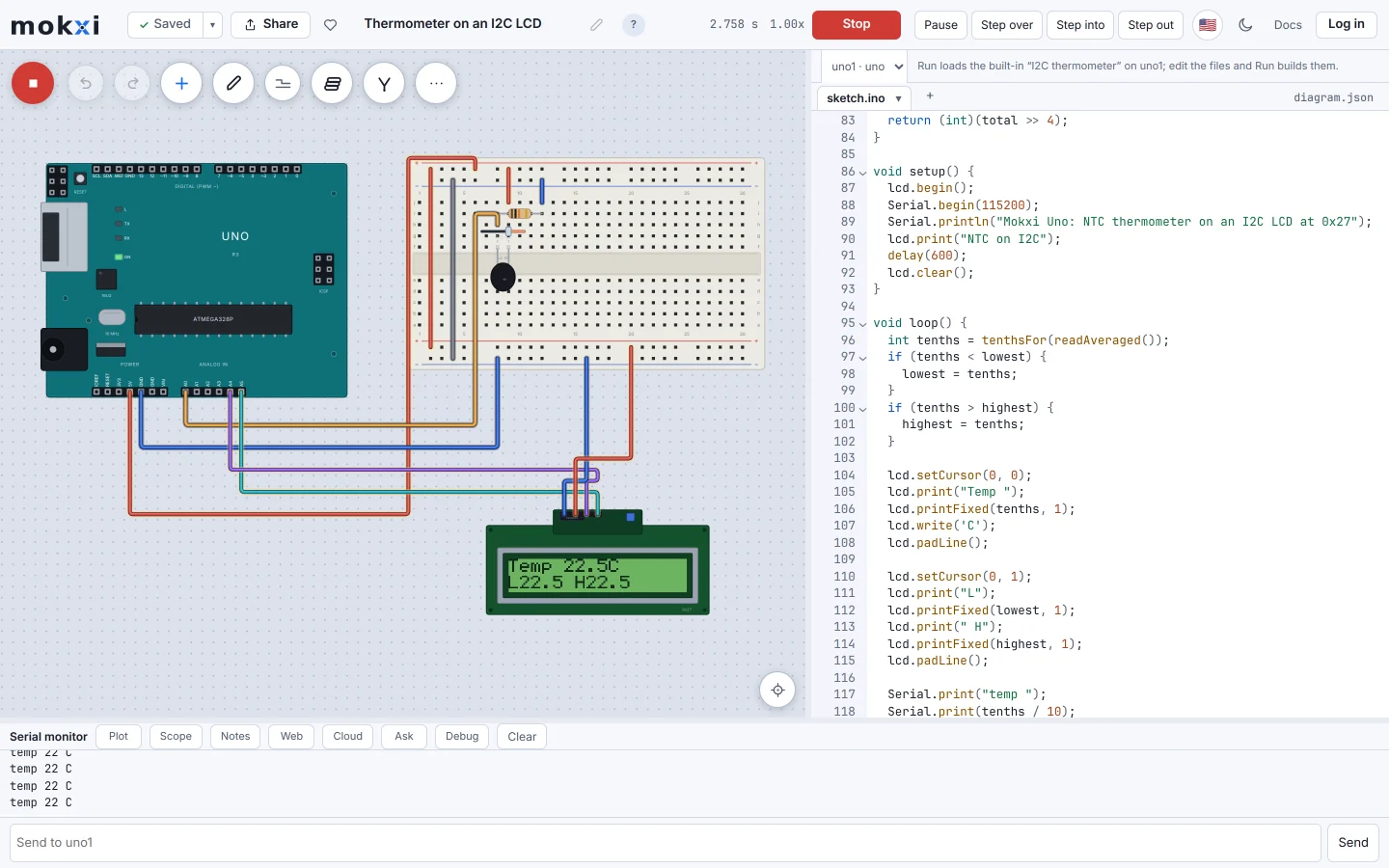
The Mokxi editor running an Arduino Uno thermometer, with the I2C LCD showing the temperature and the sketch open beside the wired breadboard.
Where Tinkercad Circuits leads
These are the strongest reasons to choose Tinkercad Circuits today.
- It is free, from Autodesk, and already approved in a great many schools.
- The component library is broad and aimed squarely at beginners.
- The circuit-and-3D integration suits design classes that go on to print something.
- Block-based coding alongside text, which matters a lot for younger students.
Where Mokxi leads
These are working parts of Mokxi you can open and test for yourself.
- Your C++ is built by a real clang and the firmware runs on a cycle-accurate core, so timers, interrupts and PWM behave the way the chip does.
- A real breadboard on a 0.1 inch grid, with rails and a center channel a DIP chip straddles.
- An ESP32-C3, a Pico and an STM32 as well as an Arduino, with documented peripheral coverage and real board memory maps.
- A student can open and run the editor without an account. Classes add a roster, starter projects, reusable checks, submissions and a teacher dashboard.
Side by side
Checked on 2026-09-14. If anything here has gone stale, that is our mistake and we want to know.
Which one should you use
Straight answers. Where the other one is the right call, we say so.
You teach a beginner class with block coding
Tinkercad Circuits.
You want timers, interrupts and PWM to behave like the real chip
Mokxi.
You want an ESP32
Mokxi. Tinkercad does not have one.
You want students to try the simulator before creating accounts
Mokxi. The editor opens and runs first; an account is needed when a student saves or joins a class.
Looking for a Tinkercad Circuits alternative?
People usually start looking for one of four reasons. They want a board Tinkercad Circuits does not have, most often an ESP32 or a Raspberry Pi Pico. They want the code to behave the way it does on the chip, with real timers, interrupts and the libraries tutorials use. They want the breadboard to be a real breadboard, with rails and a center channel. Or a class has outgrown what a beginner tool offers and needs assignments, checks and a gradebook.
Mokxi covers those four. The free plan has every board and every part, the editor opens and runs without an account, and it runs on a school Chromebook with nothing to install. What it does not have is block coding or 3D design, and if your students are young enough to need blocks, Tinkercad is still the better first tool.
There is no importer for Tinkercad designs. Moving a project over means placing the same parts and pasting the sketch. Most Uno sketches compile unchanged, and so do the common libraries: Servo, Wire, LiquidCrystal_I2C, DHT and the Adafruit SSD1306 headers. The six-wire LiquidCrystal library is the one Tinkercad classic that needs Mokxi’s own LCD header instead.
Compare the other options
The same straight comparison for the tools teachers, students and makers also consider.
In short
Is there a free alternative to Tinkercad Circuits with an ESP32?
Yes. Mokxi’s free plan includes the ESP32-C3, the ESP32-C6, the classic ESP32 DevKit and the ESP8266, as well as the Arduino boards, the Pico and the STM32 boards, and it runs in the browser without an account.
Can I import my Tinkercad projects?
Not automatically. Rebuild the circuit from the parts bin and paste the code; standard Arduino sketches and the common libraries compile as they are.
Does Mokxi have block coding like Tinkercad?
No. Mokxi is text C++ only. For students who are not ready for text, Tinkercad’s blocks are the better start, and Mokxi is a good next step.
Should I use Mokxi if you teach a beginner class with block coding?
Tinkercad Circuits.
Should I use Mokxi if you want timers, interrupts and pwm to behave like the real chip?
Mokxi.
Should I use Mokxi if you want an esp32?
Mokxi. Tinkercad does not have one.
Should I use Mokxi if you want students to try the simulator before creating accounts?
Mokxi. The editor opens and runs first; an account is needed when a student saves or joins a class.
Try it yourself
A comparison page is somebody else’s opinion. Open the editor, press Run and make up your own mind.