Arduino Starter Kit: every lesson, simulated
The fifteen projects of the kit’s book, in its order, each as a circuit that runs in your browser on the pins the book uses. Build it here first, then on your bench.
15 of the 15 lessons with a circuit run here, 4 of them with a change we name.
Not affiliated with Arduino. Lesson titles are referenced so you can follow along.
Every lesson in the kit’s order
Lesson numbers and titles follow the Arduino Projects Book, with the StarterKit_BasicKit examples that ship in the Arduino IDE. Each circuit uses the kit’s parts on the pins the lesson uses.
- Project 01
Get to Know Your Tools
Runs hereA switch, a resistor and an LED on the 5 V supply: your first circuit, wired by hand.
- Project 02
Spaceship Interface
Runs hereA button on pin 2 with a 10k pull-down; a green lamp on 3 and two red lamps on 4 and 5.
- Project 03
Love-o-Meter
Runs hereA TMP36 on A0 lights LEDs on pins 2, 3 and 4 as it warms up.
- Project 04
Color Mixing Lamp
Runs, with a changeThree light sensors on A0, A1 and A2 set green on 9, red on 10 and blue on 11 of an RGB LED.
The colored gels are replaced by a light level on each sensor, which you set on the canvas.
- Project 05
Mood Cue
Runs hereA knob on A0 points a servo on pin 9.
- Project 06
Light Theremin
Runs hereA photoresistor on A0 sets the pitch of a piezo on pin 8.
- Project 07
Keyboard Instrument
Runs hereFour buttons on one analog pin through a resistor ladder, playing notes on a piezo on pin 8.
- Project 08
Digital Hourglass
Runs hereSix LEDs on pins 2 to 7 count the time; turn the tilt switch on pin 8 to start again.
- Project 09
Motorized Pinwheel
Runs, with a changeA button on pin 2 switches a motor through a MOSFET on pin 9.
The MOSFET is an IRF540N, a close cousin of the IRF520 the book uses.
- Project 10
Zoetrope
Runs hereAn H-bridge on pins 2, 3 and 9 runs a motor both ways; switches on 4 and 5 and a knob on A0 control it.
- Project 11
Crystal Ball
Runs hereTilt the switch on pin 6 and the LCD on pins 12, 11, 5, 4, 3 and 2 answers your question.
- Project 12
Knock Lock
Runs, with a changeThree knocks open a servo lock on pin 9; a button on pin 2 locks it, LEDs on 3, 4 and 5 show the state.
The book listens for knocks with a piezo on A0. The simulated piezo only plays sound, so a force sensor on A0 stands in for it.
- Project 13
Touchy-feely Lamp
Runs hereFoil on pin 2, a 1 megohm resistor from pin 4, and an LED on pin 12 that lights at a touch.
- Project 14
Tweak the Arduino Logo
Runs, with a changeA knob on A0 sends its reading over serial for a program on your computer to use.
The board’s half runs here; the Processing sketch that changes the logo runs on your computer.
- Project 15
Hacking Buttons
Runs hereAn optocoupler on pin 2 presses another gadget’s button without sharing a wire.
Lesson list and pins read from the kit’s example sketches. The explanations on this page are our own.
A link and a QR code for this page
Print either one beside a lesson, or tape it inside the box lid. Both open this page.
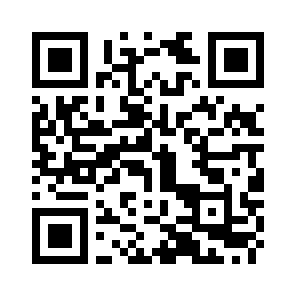
mokxi.com/k/arduino-starter
The code is black on white with a quiet border, so it prints and scans at any size from 2 cm up.
Download the QR code (SVG)Make kits? See what we offer kit makers.
Questions about this page
Is this made by Arduino?
No. Mokxi is independent and is not affiliated with Arduino. The page follows the kit’s lessons so you can use the two side by side; the circuits, sketches and explanations are Mokxi’s own.
Do I need the kit?
No. Every lesson that runs here runs in the browser, so you can try them before you buy a kit, or keep going while a part is missing or broken.
Is the code the same as in my manual?
The pins and the parts are the same, and the sketches use the same libraries where the kit does. The code itself is written for this page, with comments that explain each step, so it will not match the manual line for line.
What do "with a change" and "coming soon" mean?
A lesson marked "with a change" runs, but something differs from the kit, and the note under it says exactly what. "Coming soon" means we cannot simulate that lesson yet, and the note says why. We do not mark a lesson as running unless it does.
Is it free?
Yes. Every lesson on this page opens with no account. A free account saves your own copies of the circuits.
Start at lesson one
Every lesson opens in the editor with no account and nothing to install. Run it, change a number, run it again.