

Mokxi and Multisim, compared fairly
Mokxi is a free, browser-based alternative to Multisim for breadboard circuits with a microcontroller in them, and it runs SPICE decks on an engine checked against ngspice. For a course built on Multisim’s own files and Monte Carlo analysis, Multisim is still the right tool. Multisim is a commercial SPICE simulation tool from NI, widely used in college electrical engineering courses and in high school digital electronics, with virtual instruments alongside schematic capture and analysis. Its browser version, Multisim Live, closed on September 15, 2026; the desktop version runs on Windows. Mokxi is a free, browser-based firmware and breadboard simulator. Here is where each one is the right answer.
- 192parts on the bench
- 25boards running now
- 1.00xreal time, on every board
Updated September 23, 2026
Multisim Live reached end of life on September 15, 2026. Digilent says access to designs saved in it is no longer guaranteed, and that designs downloaded beforehand can be imported into Multisim Desktop. Project Lead The Way says its Digital Electronics course now uses Multisim Desktop, which NI supports on Windows only. Mokxi cannot open Multisim files.
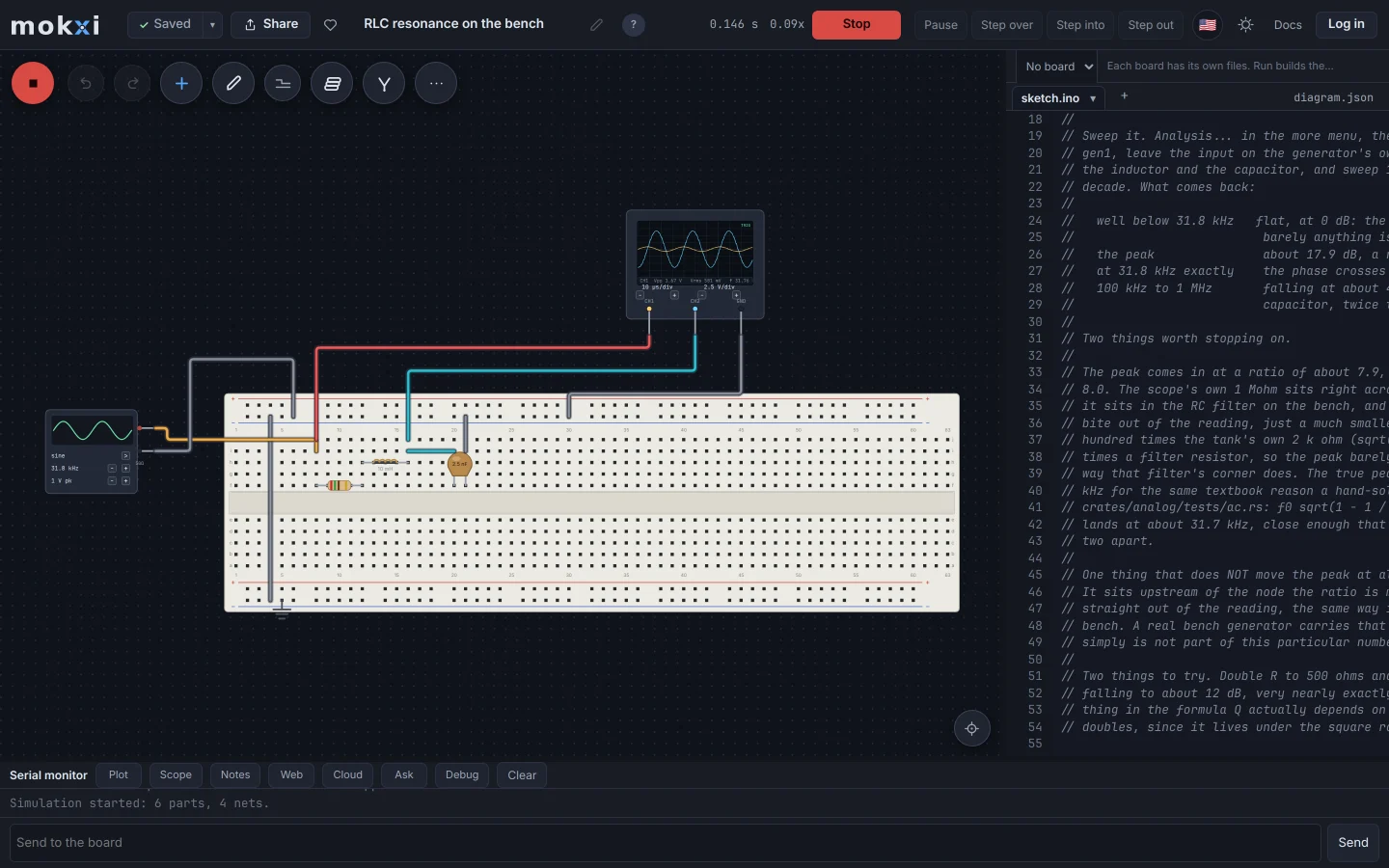
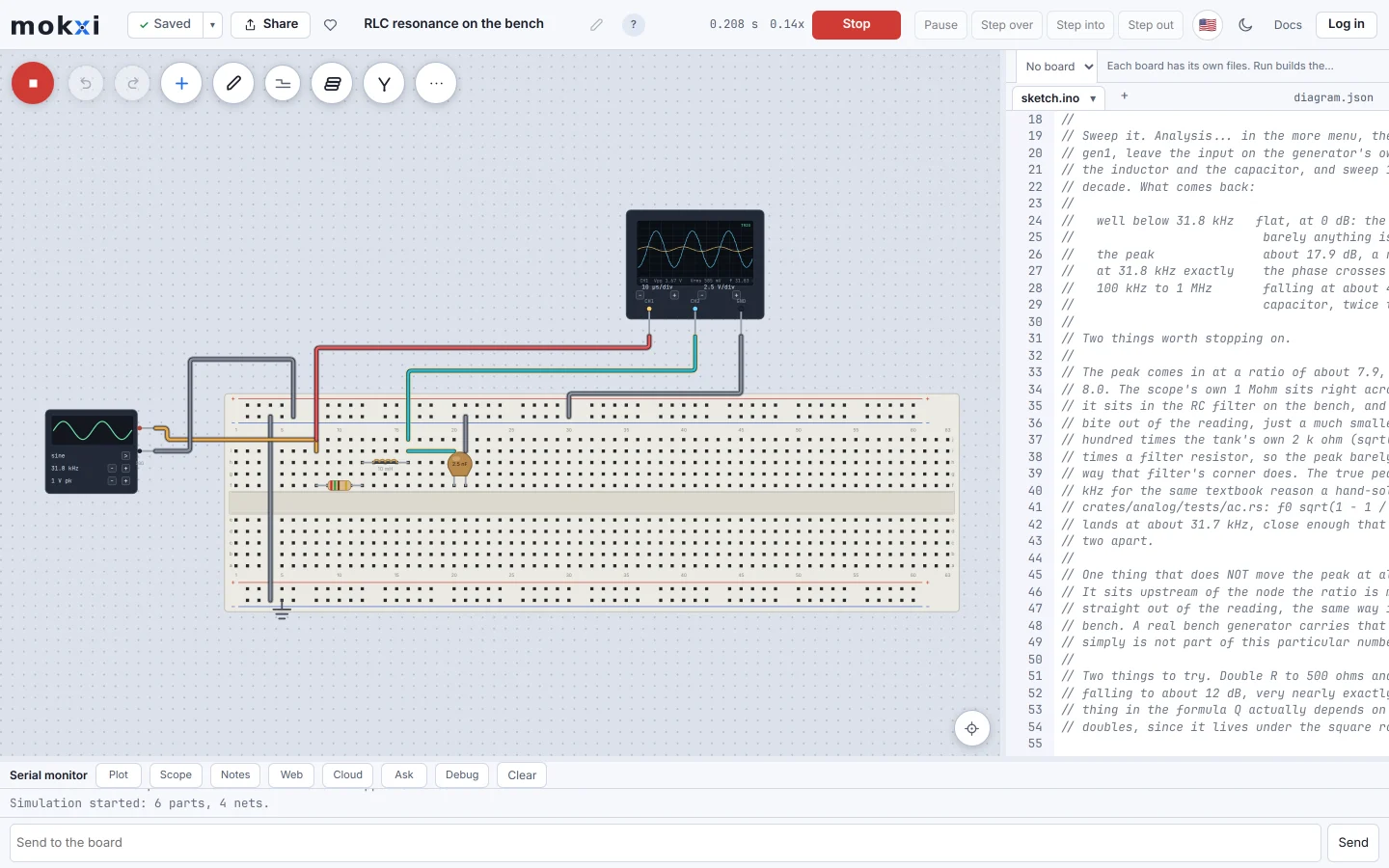
The Mokxi editor running an RLC circuit on the bench, with a signal generator driving it and an oscilloscope showing the input and the output.
Where Multisim leads
These are the strongest reasons to choose Multisim today.
- SPICE-based analog and mixed-signal simulation with real virtual instruments: an oscilloscope, a function generator, a multimeter and more, in the same tool.
- Deeply established in college electrical engineering and high school digital electronics curricula, with course material built directly around it.
- Handles general analog circuit analysis (frequency response, transient analysis) at a depth Mokxi does not attempt.
- A mature, long-supported commercial product from NI, and the one tool that can import designs exported from Multisim Live.
Where Mokxi leads
These are working parts of Mokxi you can open and test for yourself.
- Free to open and run, with no license to buy, entirely in a browser with nothing to install, so it works on Chromebooks.
- Built around running real Arduino- and ESP32-style firmware on a modeled chip, which is not what Multisim is built for.
- A real breadboard on a 0.1 inch grid with real 74HC logic chips and a 555, wired the way a bench project is actually wired, rather than schematic-first.
- Bench instruments as parts you wire in: a two-channel scope, a function generator, a multimeter, a bench supply and a logic analyzer, on nodal analysis with real device models, and a SPICE engine for netlists.
Side by side
Checked on 2026-09-23. If anything here has gone stale, that is our mistake and we want to know.
Which one should you use
Straight answers. Where the other one is the right call, we say so.
You are taking a college course built around SPICE analysis
Multisim is very likely what the course already uses.
Your digital electronics class used Multisim Live on Chromebooks
Mokxi runs the gates, flip-flops, counters and 555 circuits of that course in the browser. It cannot open your old files, and our migration guide says what it does not cover.
You want to run an Arduino or ESP32-C3 sketch for free in a browser
Mokxi.
You need Monte Carlo or distortion analysis, or a vendor model library, for a general circuit
Multisim.
You want to try a firmware project with no license to buy
Mokxi.
Looking for a free Multisim alternative?
If your course is built around Multisim’s own files, instruments and Monte Carlo analysis, Multisim is the right tool, and Mokxi is not a substitute. Mokxi solves the analog parts of a live circuit by nodal analysis and runs the rest as digital logic. It also runs SPICE decks (.op, .tran, .ac, .dc, .tf, .noise and .meas) on an engine checked against ngspice on 42 benchmark circuits, without Monte Carlo, distortion analysis or vendor model libraries.
Where it is a real alternative is the bench: breadboard circuits with a microcontroller in them, driven and measured with an oscilloscope, a function generator, a multimeter and a bench supply, for free in a browser. It also imports core textbook SPICE elements and exports the analog part of a circuit as an ngspice deck, so the two can meet.
Compare the other options
The same straight comparison for the tools teachers, students and makers also consider.
In short
Is Mokxi a SPICE simulator?
For netlists, yes: Run a SPICE deck, in the editor menu, runs .op, .tran, .ac, .dc, .tf, .noise and .meas with subcircuits, parameters and model cards, on an engine checked against ngspice on 42 benchmark circuits. It does not run BSIM MOSFET models, XSPICE devices, Monte Carlo or distortion analysis. On the canvas, analog islands are solved with real device models, with an operating point, sweeps and small-signal frequency response.
Should I use Mokxi if you are taking a college course built around spice analysis?
Multisim is very likely what the course already uses.
Should I use Mokxi if your digital electronics class used multisim live on chromebooks?
Mokxi runs the gates, flip-flops, counters and 555 circuits of that course in the browser. It cannot open your old files, and our migration guide says what it does not cover.
Should I use Mokxi if you want to run an arduino or esp32-c3 sketch for free in a browser?
Mokxi.
Should I use Mokxi if you need monte carlo or distortion analysis, or a vendor model library, for a general circuit?
Multisim.
Should I use Mokxi if you want to try a firmware project with no license to buy?
Mokxi.
Try it yourself
A comparison page is somebody else’s opinion. Open the editor, press Run and make up your own mind.