Kitronik Inventor’s Kit for the Raspberry Pi Pico: what you can build
Every project in Mokxi that the parts in the Kitronik Inventor’s Kit for the Raspberry Pi Pico can build, from a first blink up, and the few parts to add for more. Open any of them in the editor with no account.
Not affiliated with Kitronik. Lesson titles are referenced so you can follow along.
Everything the Kitronik Inventor’s Kit for the Raspberry Pi Pico can build
23 projects use only the parts in this box, ordered from a first blink to the hardest.
Beginner (20)
- MicroPython blink on the Pico’s own LED, GP25
- MicroPython on a Pico: import a module of your own
- MicroPython serial print on a Pico: seconds since start
- MicroPython NeoPixels on a Pico: 8 LEDs on GP16
- MicroPython on a Pico: read a potentiometer on GP26
- MicroPython rainbow on a Pico’s 8 LED module
- MicroPython servo sweep on a Pico, signal on GP16
- Operating point and sweep
- CircuitPython button on a Pico
- CircuitPython NeoPixel rainbow on a Pico
- MicroPython blink on a Pico, LED on GP15
- MicroPython breathing LED on a Pico, PWM on GP15
- MicroPython servo knob on a Pico: a pot points the servo
- Pico chaser
- CircuitPython blink on a Pico
- MicroPython button on GP13 lights an LED on GP15
- MicroPython dimmer on a Pico: a knob sets an LED
- MicroPython table lamp on a Pico: a button toggles an LED
- Pico button
- MicroPython knob dimmer
Add a few parts, unlock more projects
The smallest shopping lists that open the most new projects for the Kitronik Inventor’s Kit for the Raspberry Pi Pico.
Add Slide switch
Unlocks 3 more projects:
Add Multimeter and Slide switch
Add Ultrasonic ranger, Multimeter and Slide switch
Unlocks 9 more projects:
Projects that combine two kits
Own another kit as well? These need parts from both boxes, and neither can build them alone.
The kit’s parts, and what plays them here
The parts in the Kitronik Inventor’s Kit for the Raspberry Pi Pico, by the names its maker gives them. Each one is in the editor’s parts panel.
- Raspberry Pi Pico Raspberry Pi Pico Not in the kit: Kitronik says the Pico is not supplied.
- Kitronik injection molded Inventor’s prototyping mounting plate Full-size breadboard The kit’s breadboard comes fixed to this plate.
- Laser cut Pico mounting plate and fixings A mounting plate; nothing to place.
- Pico Pin Breakout Board Brings the Pico’s pins to the breadboard; here wires go straight to the Pico.
- Kitronik 5 LED ZIP stick with pins Addressable RGB LEDs Five addressable LEDs in a strip.
- Mini 180 Degree Resin Gear Servo SG90 Hobby servo
- 7 segment display Seven segment display
- Push switch (4) Pushbutton
- Red, Green, Yellow and Orange 5mm LED (2 of each) LED
- 220Ω (10), 2.2kΩ (5) and 10kΩ (5) resistors Resistor
- 3mm Phototransistor Phototransistor
- Transistor (NPN BC337) Transistor (NPN or PNP) Set to NPN.
- Motor and fan blade DC motor
- Piezo element buzzer Piezo speaker
- MM jumper wires (20) Wires are drawn between pins in the editor.
- 470uF electrolytic capacitor Capacitor
- Terminal connector A screw terminal for the motor wires; nothing to place.
- Potentiometer & finger adjust spindle Potentiometer
- Full-color instruction booklet Printed guide; nothing to place.
Parts list read from Kitronik’s product page. An item with no part beside it has no match in the editor yet.
A link and a QR code for this page
Print either one beside a lesson, or tape it inside the box lid. Both open this page.
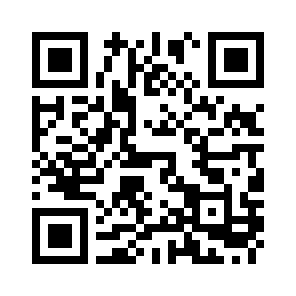
mokxi.com/k/kitronik-inventors
The code is black on white with a quiet border, so it prints and scans at any size from 2 cm up.
Download the QR code (SVG)Make kits? See what we offer kit makers.
Questions about this page
Is this made by Kitronik?
No. Mokxi is independent and is not affiliated with Kitronik. The page follows the kit’s lessons so you can use the two side by side; the circuits, sketches and explanations are Mokxi’s own.
Do I need the kit?
No. Every lesson that runs here runs in the browser, so you can try them before you buy a kit, or keep going while a part is missing or broken.
Is the code the same as in my manual?
The pins and the parts are the same, and the sketches use the same libraries where the kit does. The code itself is written for this page, with comments that explain each step, so it will not match the manual line for line.
What do "with a change" and "coming soon" mean?
A lesson marked "with a change" runs, but something differs from the kit, and the note under it says exactly what. "Coming soon" means we cannot simulate that lesson yet, and the note says why. We do not mark a lesson as running unless it does.
Is it free?
Yes. Every lesson on this page opens with no account. A free account saves your own copies of the circuits.
Other kits
Companion pages for more starter kits.
Start with the first project
Every project opens in the editor with no account and nothing to install. Run it, change a number, run it again.