Electronics and Arduino simulation for Ontario TEJ, BC ADST and Alberta CTS courses
Ontario’s TEJ courses, BC’s ADST electronics and robotics, and Alberta’s Electro-Technologies, mapped to a browser lab. Prices in Canadian dollars.
Ontario’s Computer Engineering Technology courses, British Columbia’s Electronics and Robotics 10 and its Grade 11 and 12 electronics, robotics, engineering and programming courses, and Alberta’s Electro-Technologies strand, mapped to what a class can do in a browser. Prices in Canadian dollars.
Written for technological education teachers in Ontario, ADST teachers in British Columbia and CTS teachers in Alberta. Curriculum is provincial in Canada, so this page takes the three provinces whose documents we could read on an official site and quotes them; a province not named here is one we have not verified, not one Mokxi cannot serve. No ministry has reviewed or endorsed Mokxi.
Ontario: TEJ3M and TEJ4M, Computer Engineering Technology
From The Ontario Curriculum, Grades 11 and 12: Technological Education, 2009 (Revised), the Grade 11 university/college preparation course TEJ3M “examines computer systems and control of external devices”. Its description continues: “Students will develop knowledge and skills in electronics, robotics, programming, and networks, and will build systems that use computer programs and interfaces to control and/or respond to external devices”, with no prerequisite. Overall expectation A3 asks students to “describe the function of electronic components and the use of these components in control systems and other circuits, and calculate values for circuit components”, and strand “B3. Electronics, Robotics, and Computer Interfacing” is where the building happens.
The Grade 12 course TEJ4M “extends students’ understanding of computer systems and computer interfacing with external devices”; students “will learn more about fundamental concepts of electronics, robotics, programming, and networks”, with TEJ3M as its prerequisite. Below both sits the Grade 10 open course, Computer Technology (TEJ2O), which we name by code and title only.
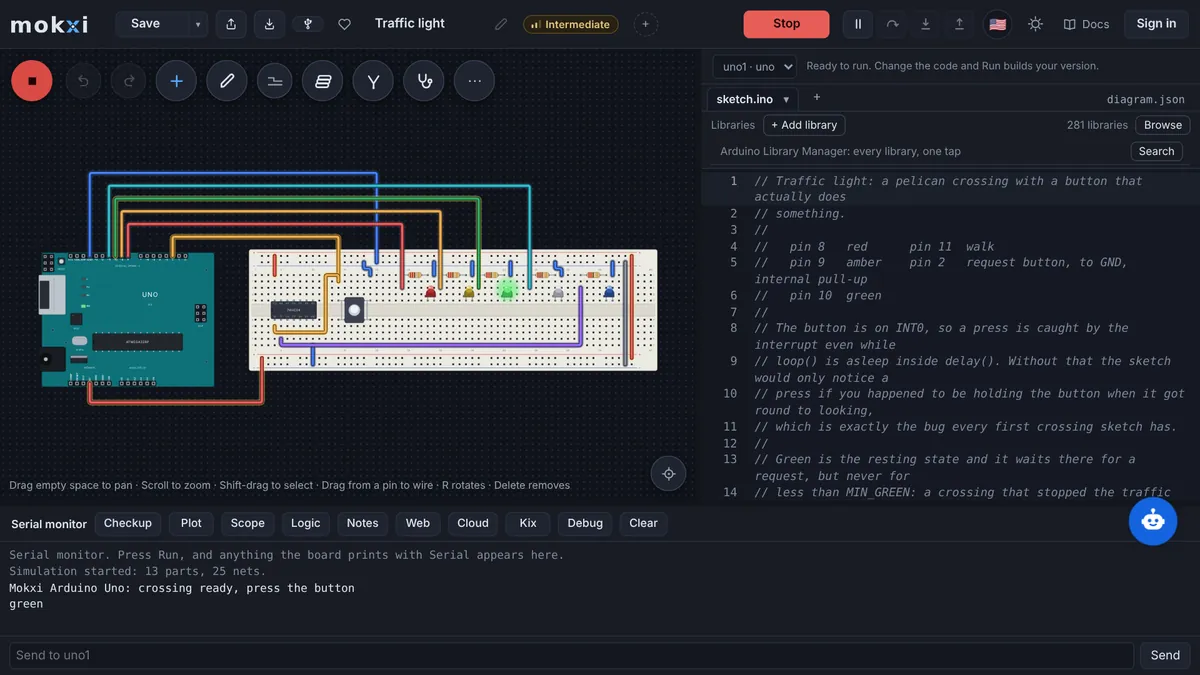
For A3 and B3 a simulator is a second bench: students calculate a resistor value, build the circuit with a meter on it, then write the sketch that reads a sensor and drives an output. The digital electronics labs and the EE lab track cover the component, logic and interfacing work at the Grade 11 and 12 level, with an oscilloscope and logic analyzer on the canvas. The networks part of the course description is outside what Mokxi does.
British Columbia: Electronics and Robotics 10 and the Grade 11 and 12 ADST courses
BC’s Applied Design, Skills, and Technologies curriculum lists Electronics and Robotics 10 at Grade 10, then Electronics 11, Robotics 11, Engineering 11 and Computer Programming 11 at Grade 11, and Electronics 12, Robotics 12, Engineering 12, Computer Programming 12 and Mechatronics 12 at Grade 12. The content of Electronics and Robotics 10 reads like the first half of the intro to electronics pack: “Ohm’s law”, “electrical theory”, “using parallel and series circuits”, “breadboard circuitry” and “production of simple circuits from schematic drawings”, with components that include the “light-emitting diode (LED), resistor, diode, light-dependent resistor (LDR), capacitor” and instruments such as the “multimeter, power supplies, test probes, signal-generating devices”.
Its robotics content names “robot elements” (“input/output sensors, effectors, control systems, movement”), “block-based coding or logic-based programming for robotics” and “programming platforms for robotics”. In Mokxi that is a servo or motor on a simulated Arduino, an ultrasonic or light sensor feeding it, and the sketch in between, which is the shape of the Arduino programming pack. The simulator writes code in C++ rather than blocks, which suits the Grade 11 and 12 programming and robotics courses better than a Grade 10 class that wants to stay block-based.
Alberta: the CTS Electro-Technologies strand
Alberta’s Career and Technology Studies program has a strand called Electro-Technologies, which the CTS booklet describes in terms “of electrical and electronic equipment” and Alberta Education’s course strand table lists under the code CTSELT. We name the strand but not its individual one-credit courses, because we could not read their current official descriptions; a CTS teacher will know which of them a circuits and microcontroller unit belongs in. The beginner Arduino projects and the Chromebook digital electronics guide are the two most used starting points for a CTS classroom.
What a class does in Mokxi
- Each student gets a simulated board, breadboard, meter and parts in the browser on the free plan, on a board-issued Chromebook or a shop computer, with nothing installed.
- When the department has real Arduinos, the simulated sketch uploads to them from Chrome or Edge over USB, so the prototype the student tested is the one that runs on the bench.
- A teacher’s class hands one circuit to the whole room, shows every screen from the front, and runs automatic checks on each submission on the simulation engine; the teacher guide covers rosters, handouts and checks.
- The readiness test tells a department in one click whether a board-managed device on the school network can compile and run.
Prices in Canadian dollars
The free plan is free with no end date. Canada has a regional price of 25% off Pro and the student price: Pro is about CA$8.51 a month or about CA$64 a year, and a verified student pays about CA$4.25 a month or about CA$32 a year through the student discount. Classroom is CA$10.64 a student a year from 5 students, the teacher’s seat included at no charge; a school can try one class free for 30 days without a card.
Estimated in CAD. Stripe confirms the exact local amount before payment.
A visitor from Canada sees the same amounts on the pricing page, where they can be bought.
What the school board will ask
- Mokxi is a web page: no installation on board-managed Chromebooks, Windows or Mac devices, and the short list of domains for the board’s filter is on the IT setup page, with an email to forward.
- What is collected about a student, who processes it, how a school has it exported or deleted, and the rule that class pages carry no analytics or advertising tag are on the student data privacy page.
- Classes work by six-character join code, and assignment checks run on the simulation engine; the classroom guide documents them.
- Boards that buy on a purchase order can have Classroom invoiced, and a written quote comes from the classroom page in minutes.
The US version of this page
Departments that also plan against the US frameworks can use the NGSS, CSTA and ISTE standards map, how US schools pay for a lab and the engineering units mapped to NGSS and CSTA.
Sources
- The Ontario Curriculum, Grades 11 and 12: Technological Education, 2009 (Revised) (PDF)
- Ontario course descriptions and prerequisites: technological education
- BC curriculum: Applied Design, Skills, and Technologies
- BC curriculum: Electronics and Robotics 10
- Alberta Education CTS course strand table: Electro-Technologies
- Alberta Education CTS booklet (PDF)
Questions from Canadian technology departments
Prices in CAD, as a visitor from Canada sees them on the pricing page.
Does Mokxi fit TEJ3M strand B3, Electronics, Robotics, and Computer Interfacing?
It fits the electronics and interfacing parts: components, circuits with a meter on them, and a microcontroller that reads sensors and drives outputs. Robotics is covered as far as motors, servos and sensors on an Arduino go. The networks part of the course description is not something Mokxi does.
Which BC ADST courses does it suit?
Electronics and Robotics 10 for Ohm’s law, series and parallel circuits, breadboarding and the LED, resistor and LDR, then Electronics 11 and 12, Robotics 11 and 12, Computer Programming 11 and 12 and Mechatronics 12 for the microcontroller work. The simulator programs in C++ rather than blocks.
Will it run on board-managed Chromebooks?
Yes, in Chrome with nothing installed. The board’s filter needs to allow a few domains, listed on the IT setup page, and the readiness test checks a Chromebook on the school network in one click.
What does it cost a Canadian school?
The free plan is free. Canada’s regional price of 25% off makes Pro about CA$8.51 a month or about CA$64 a year and the student price about CA$4.25 a month or about CA$32 a year. Classroom is CA$10.64 a student a year from 5 students.
Can a school board pay by purchase order?
Yes. Classroom can be paid by card or on an invoice against a purchase order, and a written quote can be generated from the classroom page. The free plan needs no purchase at all.