Electronics and Arduino simulation for Australian Curriculum v9.0 Digital Technologies
The Years 7 to 10 Digital Technologies codes, with what a simulated microcontroller covers and what it does not. Prices in Australian dollars.
The Years 7 to 10 Digital Technologies content descriptions, code by code, with what a simulated microcontroller covers and what it plainly does not, plus the two Design and Technologies descriptions on engineered systems. Prices in Australian dollars.
For Digital Technologies and Design and Technologies teachers in Years 7 to 10 planning a unit on microcontrollers. The content descriptions quoted here are from ACARA’s own v9.0 curriculum content downloads, linked under Sources, and are quoted in full so you can judge the fit yourself. ACARA has not reviewed or endorsed Mokxi, and no state or territory authority has either. Two of the knowledge descriptions below are listed precisely so you can see that we do not claim them.
Digital Technologies, Years 7 and 8
- AC9TDI8K01: “explain how hardware specifications affect performance and select appropriate hardware for particular tasks and workloads”. A fit for the part about choosing hardware: students can compare an Uno, a Nano and an ESP32 in the simulator and see which pins, memory and speed a task needs.
- AC9TDI8K02: “investigate how data is transmitted and secured in wired and wireless networks including the internet”. Not claimed. Mokxi is a circuit and microcontroller simulator, not a networking lab.
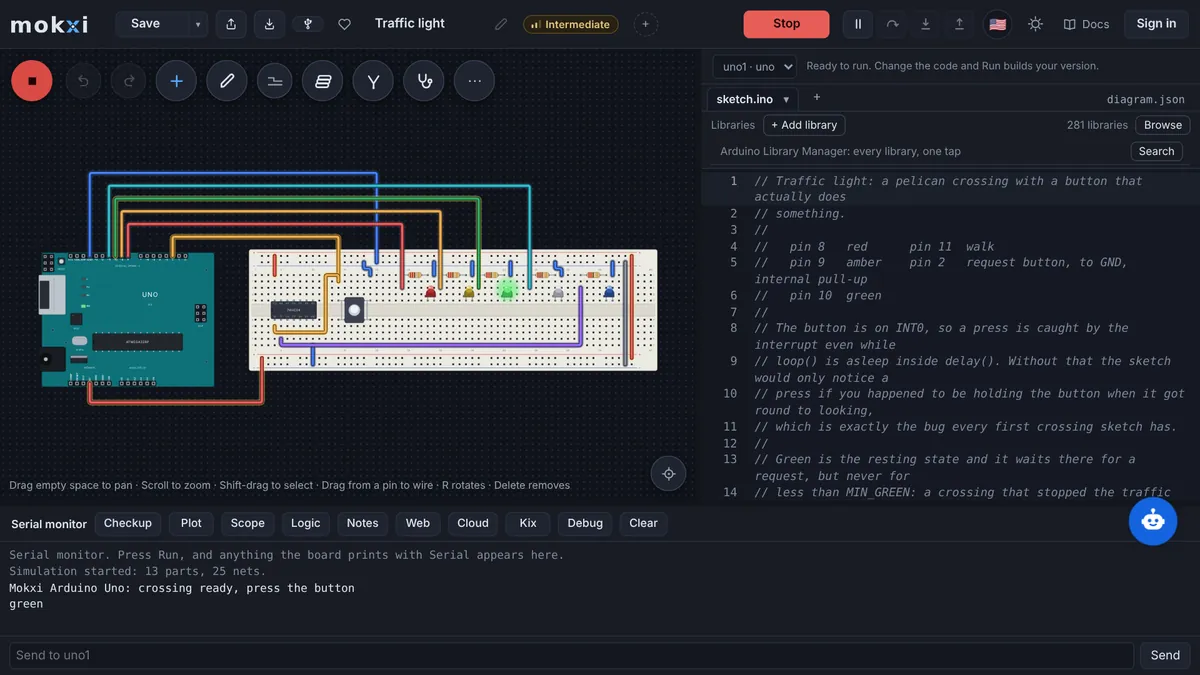
- AC9TDI8P05: “design algorithms involving nested control structures and represent them using flowcharts and pseudocode”. A strong fit: a traffic light or a thermostat is a nested control structure, and students draw it before they code it.
- AC9TDI8P06: “trace algorithms to predict output for a given input and to identify errors”. A strong fit, because the simulator lets a student predict what an LED or a serial line will do, then run it and compare.
- AC9TDI8P09: “implement, modify and debug programs involving control structures and functions in a general-purpose programming language”. Arduino sketches are C++, a general-purpose language, and every project in the Arduino programming pack is a program with control structures and functions that students modify and debug.
Digital Technologies, Years 9 and 10
- AC9TDI10K01: “investigate how hardware and software manage, control and secure access to data in networked digital systems”. Not claimed, for the same reason as AC9TDI8K02.
- AC9TDI10K02: “represent documents online as content (text), structure (markup) and presentation (styling) and explain why such representations are important”. Not claimed; this is web authoring, which a circuit simulator has nothing to say about.
- AC9TDI10P05: “design algorithms involving logical operators and represent them as flowcharts and pseudocode”. A strong fit: an alarm that sounds when the door is open AND the switch is armed is a logical operator students can wire and code.
- AC9TDI10P06: “validate algorithms and programs by comparing their output against a range of test cases”. A strong fit, and the classroom tools were built for it: a teacher writes the checks an assignment must pass, and every submission is measured against them on the simulation engine.
- AC9TDI10P09: “implement, modify and debug modular programs, applying selected algorithms and data structures, including in an object-oriented programming language”. A partial fit: C++ is object-oriented and Arduino libraries are classes students instantiate, but a Year 10 sketch rarely goes deep into data structures. The digital electronics guide for Chromebooks and the EE lab track are the next steps for a class that wants to.
Design and Technologies: engineered systems, not electronics as such
In the Design and Technologies sub-strand Engineering principles and systems, students in Years 7 and 8 analyze (AC9TDE8K03) “how force, motion and energy are used to manipulate and control engineered systems”, and in Years 9 and 10 analyze and make judgments on (AC9TDE10K03) “how the characteristics and properties of materials are combined with force, motion and energy to control engineered systems”. The verbs sit outside the quotation marks because ACARA spells them the Australian way and this site is written in US English; the rest is verbatim.
Say it plainly: these two descriptions are about engineered systems in general, force, motion, energy and materials, and not about electrical or electronic systems in particular. An elaboration mentions wind turbines turning wind into electricity, which is as close as the wording gets. Where Mokxi contributes is the control half of an engineered system: a motor driven by a microcontroller in response to a sensor is a system under control, and the intro to electronics pack covers the energy and circuit basics a materials-and-forces unit would lean on. If your unit is about levers, gears and trusses, Mokxi is not the tool for it.
What a class does in Mokxi
- Students build and run circuits in the browser on the free plan, on a school laptop, a BYOD device or a Chromebook, with no installation and no admin rights.
- The sketch that runs on the simulated board uploads to a real Uno from Chrome or Edge over USB when the faculty has hardware; the beginner projects are the usual first week.
- A class gives the teacher a join code, a way to push one starter circuit to every screen, a view of every student’s canvas from the front, and checks that grade a submission by what it does; the teacher guide has the details.
- Before a whole-faculty rollout, the readiness test confirms a school-managed device on the school network can compile and run.
Prices in Australian dollars
Free is free, for as many students as you have, with no expiry. Australia has a regional price of 15% off Pro and the student price: Pro is about A$9.71 a month or about A$73 a year, and a verified student pays about A$4.85 a month or about A$36 a year with the student discount. Classroom is A$12.14 a student a year from 5 students; the teacher’s seat costs nothing, and a 30-day trial of one class needs no card.
Estimated in AUD. Stripe confirms the exact local amount before payment.
These figures are what the pricing page shows a visitor in Australia.
What the faculty head and the IT manager will ask
- It is a website, so a managed Windows, Mac or ChromeOS device needs nothing installed; the domains to allow and an email for the IT manager are on the IT setup page.
- The student data privacy page lists what is collected, the processors involved, and the rule that no analytics or advertising tag loads for a student signed in to a class.
- Rosters, join codes, handouts, submissions and the automatic checks are documented in the classroom guide.
- Classroom can be invoiced against a purchase order, and a written quote takes a few minutes from the classroom page.
The US version of this page
Teachers who also work from the US frameworks can read the NGSS, CSTA and ISTE standards map, how US schools pay for a lab and the engineering units mapped to NGSS and CSTA.
Sources
Questions from Australian technologies faculties
Prices in AUD, as a visitor from Australia sees them on the pricing page.
Which v9.0 Digital Technologies content descriptions does Mokxi fit?
The processes and production skills about algorithms and programs: AC9TDI8P05, AC9TDI8P06 and AC9TDI8P09 in Years 7 and 8, and AC9TDI10P05, AC9TDI10P06 and AC9TDI10P09 in Years 9 and 10. AC9TDI8K01 fits in part, for choosing hardware.
Does it cover the networking descriptions, AC9TDI8K02 and AC9TDI10K01?
No. Those are about how data moves and is secured on networks. Mokxi simulates circuits and microcontrollers and makes no claim on either description, nor on AC9TDI10K02, which is about online documents.
Is Arduino C++ a general-purpose programming language for AC9TDI8P09?
Yes. Arduino sketches are C++ with a small library on top. Students write functions, loops, conditionals and variables in the same language used well beyond microcontrollers.
What does it cost an Australian school?
The free plan is free. With Australia’s regional price of 15% off, Pro is about A$9.71 a month or about A$73 a year and the student price is about A$4.85 a month or about A$36 a year. Classroom is A$12.14 a student a year from 5 students, paid by card or invoice.
Will it run on department-managed laptops and Chromebooks?
Yes, in Chrome or Edge with nothing installed. A few domains need to be allowed through the school filter, and the readiness page checks a managed device on the school network in one click.