Touch foil
A piece of foil for the CapacitiveSensor library. A finger adds about 100 pF, and the count climbs.
- 1 pin
- 2 settings
- In 1 project
The Touch foil in brief
What it is, and every setting the properties panel gives it.
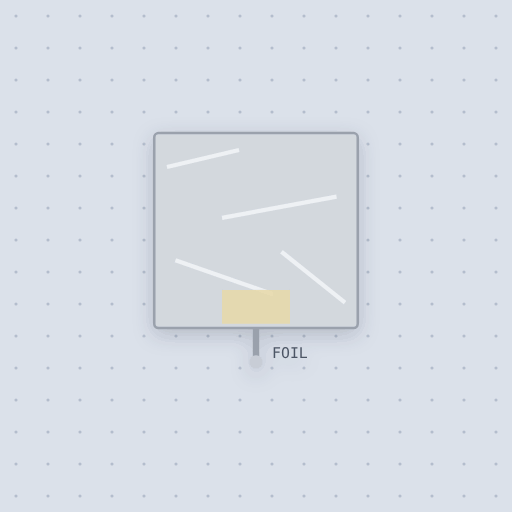
The touch foil is a piece of aluminum foil on a wire: the touch sensor of the CapacitiveSensor library and the Starter Kit’s touchy-feely lamp. There is no chip on it. The foil is one plate of a capacitor and the room is the other, a few picofarads, and a finger adds the body’s capacitance, about a hundred more. The one pin is FOIL: wire it to the receive pin, with a resistor of about 1 megohm to the send pin. The pad property is the foil and its lead alone in picofarads, 10 by default, and finger is what a touch adds, 100 by default. The foil is a capacitor to ground solved in the circuit’s matrix, so the count is the real RC time through the resistor you chose. Hold the pointer on the foil to touch it. A hand coming near is not modeled.
- Family
- Inputs
- Pins
- 1
- pad
- 10
- finger
- 100
The one pin
Named as the editor names them, so a wire lands where you expect it.
How to build a touch sensor from foil with an Arduino
A 1 megohm resistor goes from pin 4, the send pin, to pin 2, the receive pin, and the foil is on pin 2. That is the Arduino Starter Kit’s touchy-feely lamp, and the lamp is the Uno’s own LED on pin 13. The foil’s FOIL pin goes to the same node as pin 2 and the resistor’s other end.
Paul Badger’s CapacitiveSensor library flips the send pin and counts how long the receive pin takes to follow through the resistor. A touch makes the count several times larger, because the finger adds about 100 pF to the pad’s 10. A larger resistor gives a larger count. The sketch lights the LED when the count passes 100. Hold the pointer on the foil to touch it.
#include <CapacitiveSensor.h>

CapacitiveSensor capSensor = CapacitiveSensor(4, 2);   // send pin 4, receive pin 2
const int LAMP_PIN = 13;
const long THRESHOLD = 100;

void setup() {
  Serial.begin(9600);
  pinMode(LAMP_PIN, OUTPUT);
}

void loop() {
  long sensorValue = capSensor.capacitiveSensor(30);
  digitalWrite(LAMP_PIN, sensorValue > THRESHOLD ? HIGH : LOW);
  Serial.println(sensorValue);
  delay(10);
}
Common Touch foil errors and fixes
Questions and answers
How does the touch foil work?
The foil is one plate of a capacitor and the room the other, a few picofarads. A finger adds about a hundred more, so the RC time through the resistor is several times longer.
What resistor does the CapacitiveSensor library need?
About 1 megohm, from the send pin to the receive pin, with the foil on the receive pin.
Which pins does the Starter Kit lamp use?
Send on pin 4, receive and foil on pin 2, and the Uno’s LED on pin 13.
What is true about the Touch foil, here
In its help article’s own words: what the simulation gets right, and where it stops.
Modeled
The foil is a capacitor to ground solved in the circuit's matrix, so the count the library reads is the real RC time through the resistor you chose: a larger resistor gives a larger count, and a touch multiplies it by the ratio of the capacitances.
Not modeled
A hand coming near before it touches (the real count rises as the hand approaches, which is how it senses through paper), mains hum picked up by the body, and the board's ground not being earth.
From Touch foil, in full.
See the Touch foil in a project
One built-in project uses it. It opens in the editor, already wired.
The boards it is shown on
This board has a built-in project with the Touch foil in it.
Arduino libraries for the Touch foil
Built in, so the sketch compiles with nothing to install. Each page has the calls, the wiring and an example to run.
The rest of the bench
Every one of these is drawn and simulated the same way.
Wire up the Touch foil
Open the editor and push it into the breadboard. It is free, and it runs on your own machine.