Dust sensor, SDS011
PM2.5 and PM10 as the sensor’s real 10 byte serial frames once a second, with query, sleep and working period commands, for SdsDustSensor.h.
- 7 pins
- 2 settings
- In 1 project
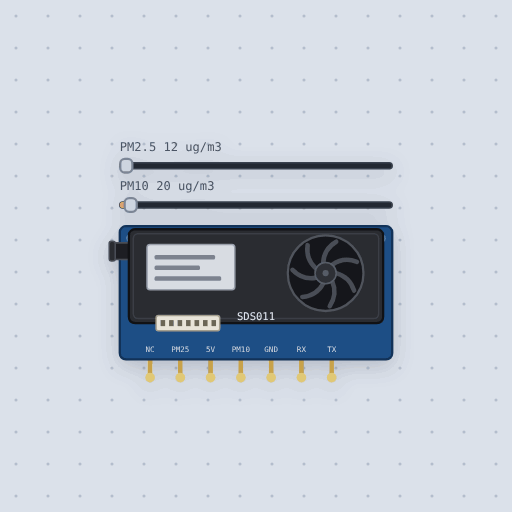
The Dust sensor, SDS011 in brief
What it is, and every setting the properties panel gives it.
- Family
- Sensors
- Pins
- 7
- pm25
- 12
- pm10
- 20
7 pins
Named as the editor names them, so a wire lands where you expect it.
Input or output3
- NC
- 5V
- GND
Output3
- PM25
- PM10
- TX
Input1
- RX
What is true about the Dust sensor, SDS011, here
In its help article’s own words: what the simulation gets right, and where it stops.
Modeled
The frame and command layouts, the checks, the answers, the device ID filter, the once a
second reporting, the query and sleep modes, the working period and which settings outlive
a power cut are the Nova Fitness protocol's (V1.3). The device ID starts as the manual's
example, A1 60, and the firmware version is the manual's example, 15-7-10.
Not modeled
There is no fan and no air inside, so the 30 seconds the manual asks for after waking before the data is stable do not apply: the first frame, a second after power on or wake, carries the sliders. The readings are exact, with none of the sensor's 15 percent or 10 microgram error. The PWM pins are not driven, as the specification gives their 1004 ms cycle but no formula. In a working period the frame comes at the end of the 30 seconds of work; the manual says only that the sensor reports the latest data.
From SDS011 laser dust sensor, in full.
See the Dust sensor, SDS011 in a project
One built-in project uses it. It opens in the editor, already wired.
The boards it is shown on
This board has a built-in project with the Dust sensor, SDS011 in it.
The rest of the bench
Every one of these is drawn and simulated the same way.
Wire up the Dust sensor, SDS011
Open the editor and push it into the breadboard. It is free, and it runs on your own machine.