AI Arduino code not working: find out why before you rewire
When AI Arduino code is not working, paste it here and run it.
Drop it here, or paste it
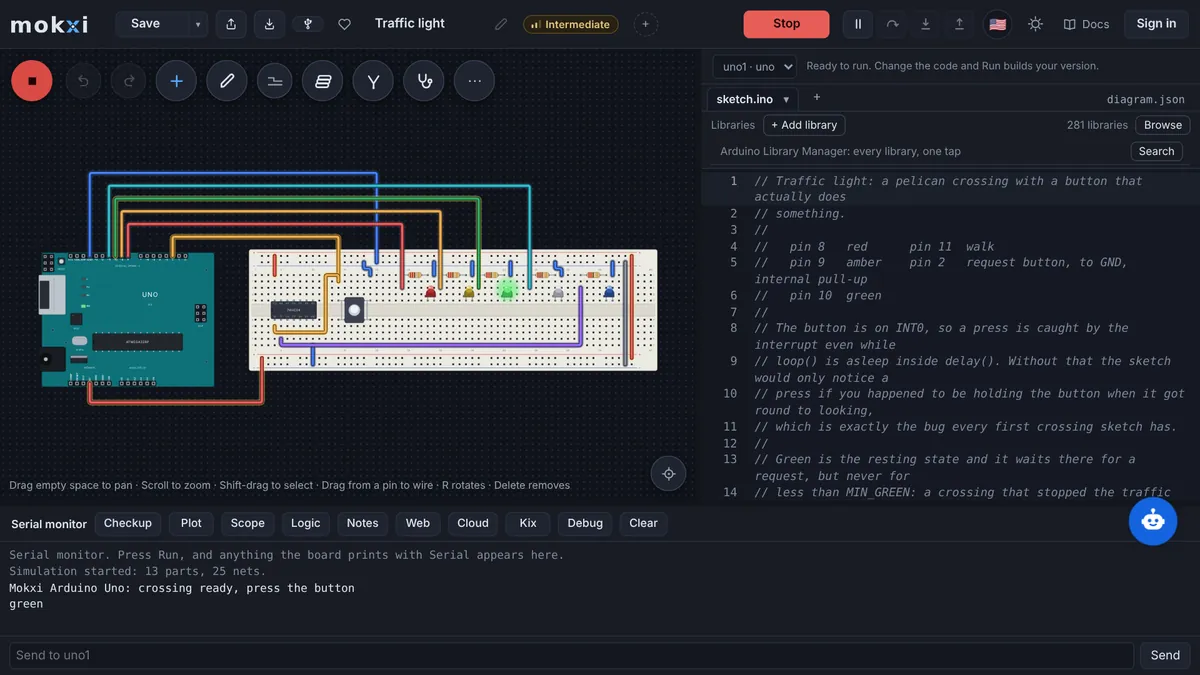
Mokxi compiles the sketch in your browser and shows the error with its line, or runs it on a wired, simulated board where you can see what each pin does. That separates a mistake in the code from a mistake on your breadboard, which is the first thing to find out.
A blink that uses ledPin and never declares it, the kind of slip a chat makes when it shortens an answer. It opens on an Uno. Press Run and the build stops at the line that names ledPin.
Paste from ChatGPT or ClaudeCopy a prompt, say what to build, paste the answer.
- 1Copy the promptIt teaches your AI how to write a Mokxi project.
- 2Say what to buildPaste the prompt into ChatGPT, Claude, Gemini or Cursor and add what you want, like "a night light with a light sensor".
- 3Paste its answer hereThe whole reply is fine. It opens wired and ready to run.
Only have a photo or a screenshot of the circuit? Give your AI the picture with this prompt instead.
Your AI app supports MCP? Add the Mokxi server and it builds the link for you. How
From Tinkercad? Three stepsBring a circuit across wired, with its code.
- 1Export the circuitIn Tinkercad, open the circuit, press Export and download the .brd file. It has every part and wire.
- 2Download the codeOpen Code, switch to Text and press the download button for the .ino.
- 3Drop both hereChoose or drop the .brd and the .ino together: it opens wired, with the code on the board. No .brd? Paste the Component List with the code under it.
What Mokxi reads from AI code that fails
The sketch that failed, alone or with the reply it came in.
The same sketch again after each correction from the chat. Every paste opens as a new project and the one before it is kept.
An .ino file that stopped with an error in the Arduino IDE, dropped on the box.
What comes across
The compiler error, with its line
"Was not declared in this scope", "expected a semicolon", "no matching function for call": the build stops with the compiler’s words and the line they point at, shown in the editor.
A circuit wired the way the code expects
Mokxi wires the parts from the sketch, so the LED is on the pin the code writes and the button has its pull resistor. If the project works here and not on your desk, look at the breadboard. If it fails here too, look at the code.
What the pins and the serial port do
Run it and watch. The serial monitor prints what the sketch prints, and the logic analyzer shows whether a pin toggles or sits still.
An explanation in plain words
After a failed build, Mokxi AI in the editor offers "Why won’t this compile?" and "Fix it", which proposes a change that compiles before you accept it. It answers signed-in accounts, and a free account has 5 questions a day.
What does not, and what happens instead
Faults in real hardware
A dead sensor, a loose jumper, a servo that browns out the USB port: none of those exist in a simulation. Mokxi can tell you the code and the intended wiring are sound, and no more than that.
Upload and port errors
An avrdude error, a busy port or a board that does not show up is about your cable, driver or bootloader. Running a sketch here uploads nothing, so those cannot be reproduced.
Libraries outside the built-in set
If the error is a header that cannot be found, the sketch needs a library Mokxi does not have. A libraries folder inside a dropped zip comes along as the project’s own.
From AI code that fails to Mokxi
Step 1
Paste the code into the box above and let the editor open.
Step 2
Press Run. A build error appears with its line number, and a sketch that builds starts running.
Step 3
For a build error, copy the message into the chat exactly, with the line it names, and ask for the corrected sketch in full.
Step 4
For code that builds but misbehaves, compare the circuit on the canvas with your own breadboard, wire by wire.
Questions about importing from AI code that fails
Why does Arduino code from an AI chat not compile?
Usually one of four things: a function or library that does not exist, a variable used before it is declared, code meant for a different board (ESP32 calls on an Uno), or an answer cut off before its last brace. The compiler message says which.
The code compiles but nothing happens. What now?
Run it here, where the wiring is known to match the code. If the LED lights on screen, the code is fine and your breadboard is the suspect: a reversed LED, a wrong row, a missing ground. If it stays dark here as well, read the serial monitor and the pins.
Can Mokxi fix the code for me?
Mokxi AI can. After a failed build, press Fix it and it writes a change, checks that it compiles and shows it for you to accept or leave. It needs a free account, which has 5 questions a day.
Does working in the simulator mean it will work on my board?
It means the code builds and its logic does what you saw on the wiring shown. Power, loose connections and parts that differ from the simulated ones are still yours to check on the bench.