ESP8266 project ideas
4 Mokxi projects run on an ESP8266 board (3 beginner and 1 intermediate). Here are all of them, from “D1 mini blink” to “ESP-NOW on two NodeMCUs”. Each card says what the project does, the board and parts it needs and its level, and Open in the simulator runs it in your browser in one click, with no account.
How to pick your first one
- Start with “D1 mini blink”, a beginner project that needs a resistor and an LED.
- Most of them are beginner projects. Pick one a level below what you think you can do, finish it, then move up.
- The parts used most here are the LED (3 projects) and the potentiometer (1). With those on hand, most of this list is open to you.
- The ESP8266 has a single analog pin and runs at 3.3 V, so plan your sensors around that before you buy them.
4 projects ready to run
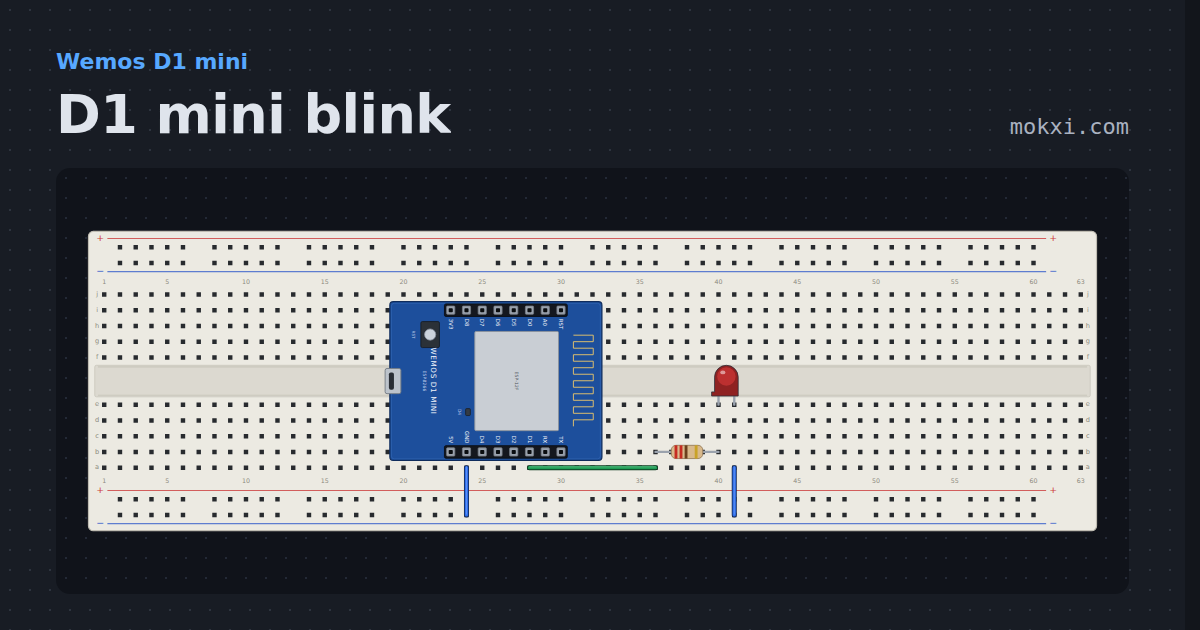
D1 mini blink
The module’s blue LED on D4 lights when the pin is low and an LED on D1 when it is high, so the two are always opposite.
- Board
- Wemos D1 mini
- Parts
- Resistor, LED
- Level
- Beginner
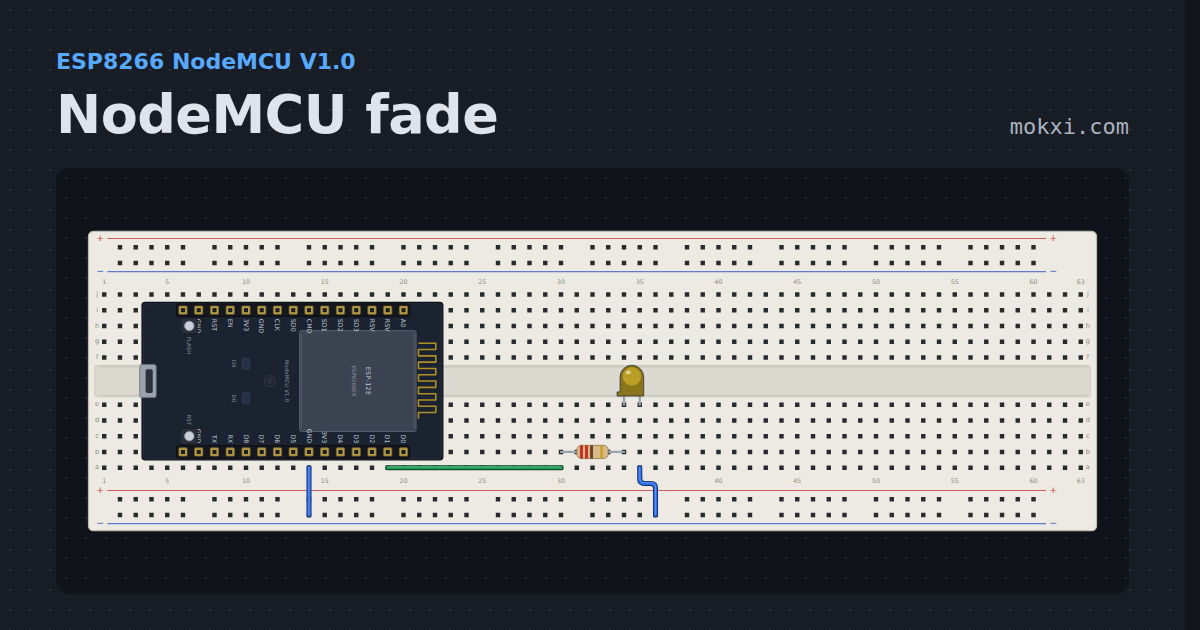
NodeMCU fade
An LED breathing on an ESP8266, which has no PWM hardware at all: the core moves the pin itself, and the range is 0 to 1023.
- Board
- ESP8266 NodeMCU V1.0
- Parts
- Resistor, LED
- Level
- Beginner
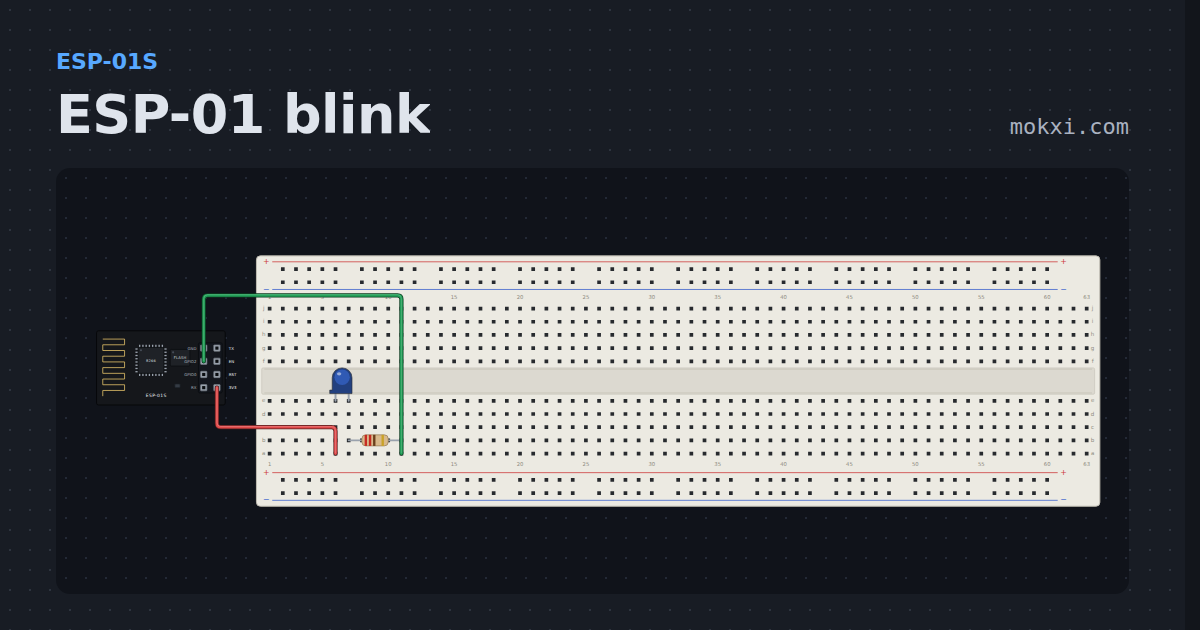
ESP-01 blink
An LED wired from 3V3 through a resistor to GPIO 2 lights together with the module’s own blue one, whenever the pin goes low.
- Board
- ESP-01S
- Parts
- LED, resistor
- Level
- Beginner
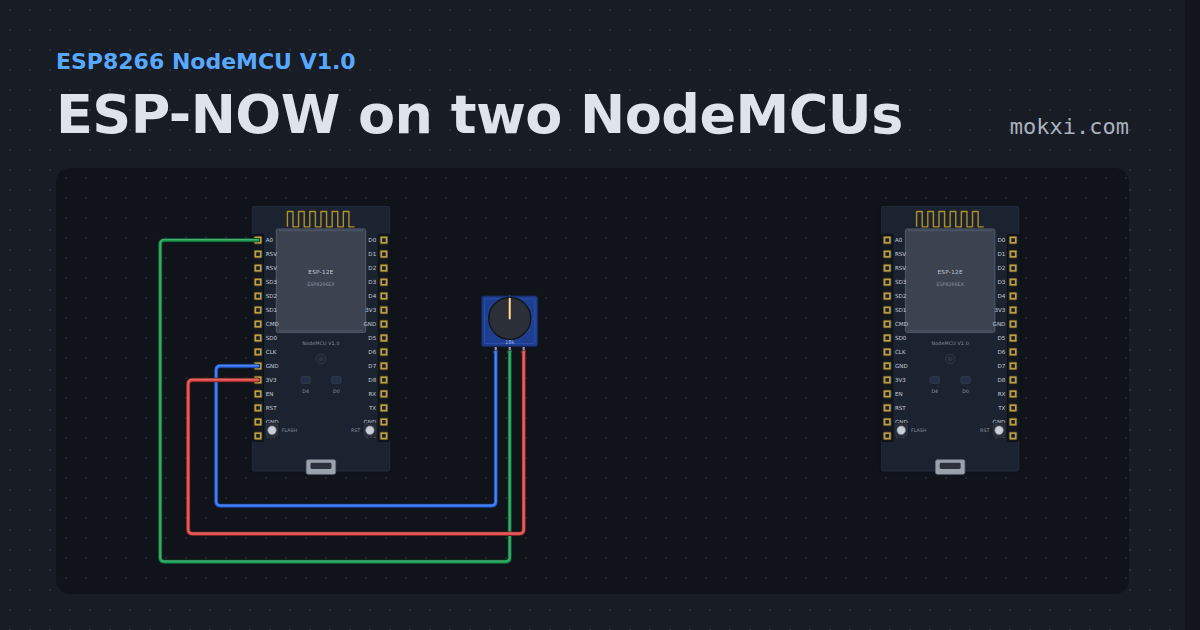
ESP-NOW on two NodeMCUs
Two ESP8266 boards talking ESP-NOW with the ESP8266 core’s espnow.h: one sends a count and a knob reading every two seconds.
- Board
- ESP8266 NodeMCU V1.0
- Parts
- Potentiometer
- Level
- Intermediate