OLED display, 1.12 inch SH1107
A square 128x128 OLED on I2C, the Grove 1.12 inch: sixteen pages of RAM for a 2 KB frame.
- 4 pins
- 1 setting
- In 1 project
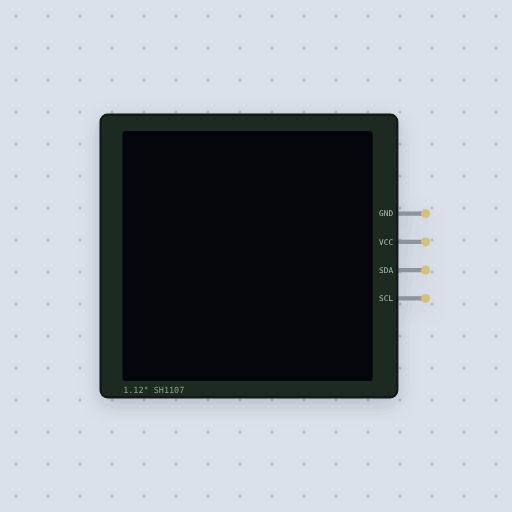
The OLED display, 1.12 inch SH1107 in brief
What it is, and every setting the properties panel gives it.
The SH1107 is the Sino Wealth controller on the square 1.12 inch 128x128 monochrome OLEDs, the Grove OLED Display 1.12 and Adafruit’s 128x128 module. It has four pins, GND, VCC, SDA and SCL, sits on I2C at 0x3C, runs from 3.3 or 5 V and carries its own pull-ups: A4 and A5 on an Uno, 21 and 22 on an ESP32, 20 and 21 on a Mega. Unlike the SSD1306 and SH1106, its RAM is 128 columns by sixteen pages, and its 0x20 and 0x21 addressing mode commands take no parameter, so a driver for either sibling scrambles it. Mokxi models the datasheet’s page and vertical addressing, the column and page commands, contrast, inversion, every pixel on, the multiplex ratio, the display offset (0xD3), the start line (0xDC), segment remap and COM scan direction, with the address as a property. The mistake everybody makes is Adafruit’s SH110X library on an Uno: its frame is 2048 bytes, all of the Uno’s RAM, so it needs a Mega, an ESP32 or a Pico. Whether the charge pump lights the glass, reading the RAM, the bare chip’s SPI mode, and burn-in and fading are not modeled.
- Family
- Displays
- Pins
- 4
- address
- 60
4 pins
Named as the editor names them, so a wire lands where you expect it.
How to use the SH1107 128x128 OLED with an Arduino
Four wires: SDA and SCL to the board’s I2C pins, VCC to 5 V and GND to GND, at address 0x3C. The Grove OLED project runs on a Mega, with SDA and SCL on the pair beside AREF, because Adafruit’s SH110X library keeps a 2048-byte frame, which is all of an Uno’s RAM. On an Uno, begin() cannot get the memory and returns false.
Construct Adafruit_SH1107 with 128, 128 and &Wire, call begin(0x3C, true), draw with the GFX calls and send it with display(). Do not use an SSD1306 or SH1106 driver: the SH1107 has sixteen pages instead of eight, and its addressing mode commands take no parameter, so their set-up scrambles it.
An ESP32 has the RAM for it: SDA to GPIO 21 and SCL to 22 on a DevKit, from 3.3 V. The library also builds for a Pico.
#include <Wire.h>
#include <Adafruit_GFX.h>
#include <Adafruit_SH110X.h>
Adafruit_SH1107 display(128, 128, &Wire);
void setup() {
  display.begin(0x3C, true);
  display.clearDisplay();
  display.setTextColor(SH110X_WHITE);
  display.setCursor(16, 4);
  display.print("Grove OLED 1.12");
  display.display();
}
void loop() {}What is true about the OLED display, 1.12 inch SH1107, here
In its help article’s own words: what the simulation gets right, and where it stops.
Modeled
From the SH1107 datasheet: the 128 by 128 RAM in sixteen pages; page and vertical addressing; the column and page address commands; contrast, inversion and every pixel on; the multiplex ratio, display offset and start line; segment remap and COM scan direction; and the SSD1306 family's control bytes on the bus.
Not modeled
Whether the charge pump setting lights the glass (the modules supply the panel voltage themselves), reading the RAM back, the bare chip's SPI interface, and the burn-in and fading of a real OLED.
From OLED display, 1.12 inch SH1107, in full.
See the OLED display, 1.12 inch SH1107 in a project
One built-in project uses it. It opens in the editor, already wired.
The boards it is shown on
This board has a built-in project with the OLED display, 1.12 inch SH1107 in it.
Arduino libraries for the OLED display, 1.12 inch SH1107
Built in, so the sketch compiles with nothing to install. Each page has the calls, the wiring and an example to run.
The rest of the bench
Every one of these is drawn and simulated the same way.
Wire up the OLED display, 1.12 inch SH1107
Open the editor and push it into the breadboard. It is free, and it runs on your own machine.