Run Arduino code from GitHub, straight from the link
Paste a GitHub link to run Arduino code from GitHub in your browser: a repository, a folder inside one, a single sketch file, a raw file or a gist.
Drop it here, or paste it
Mokxi fetches the public files, works out whether they are a sketch, a PlatformIO project, a Wokwi diagram or a circuit file, and opens the editor with the result running. You can also type mokxi.com/ in front of the GitHub address.
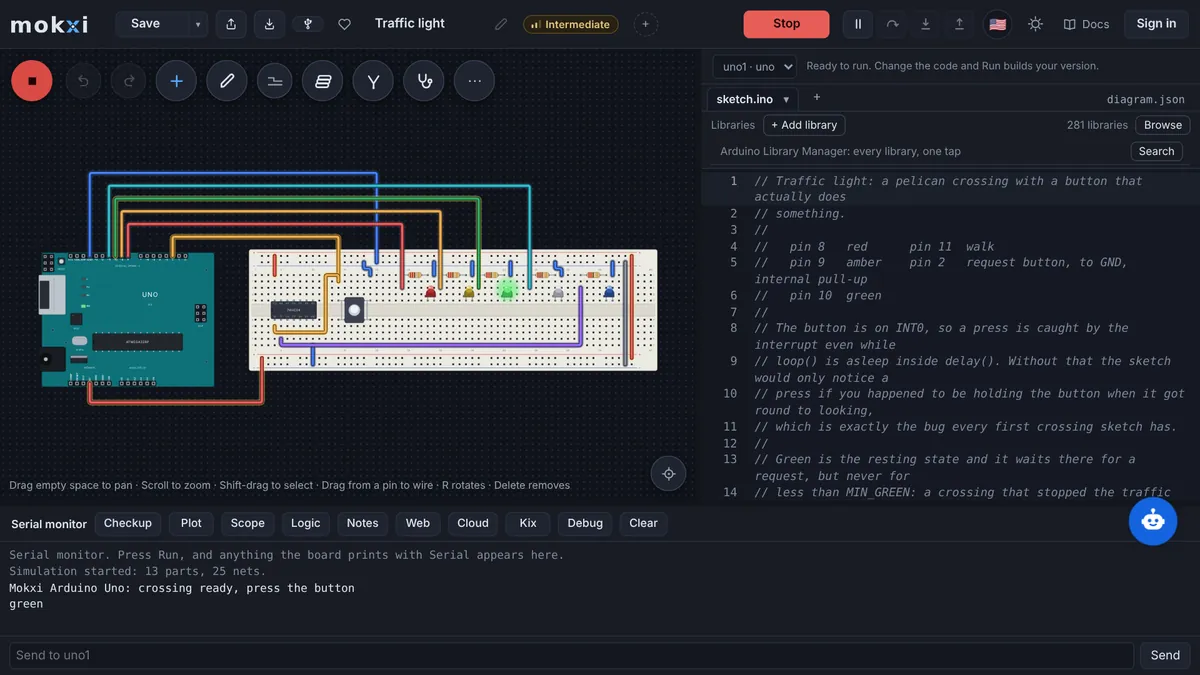
A lesson folder from a public repository: an ESP32 DevKit blinking an LED through a 220 ohm resistor on GPIO 2, with a diagram.json beside the sketch, so it opens already wired and prints to the serial monitor.
Paste from ChatGPT or ClaudeCopy a prompt, say what to build, paste the answer.
- 1Copy the promptIt teaches your AI how to write a Mokxi project.
- 2Say what to buildPaste the prompt into ChatGPT, Claude, Gemini or Cursor and add what you want, like "a night light with a light sensor".
- 3Paste its answer hereThe whole reply is fine. It opens wired and ready to run.
Only have a photo or a screenshot of the circuit? Give your AI the picture with this prompt instead.
Your AI app supports MCP? Add the Mokxi server and it builds the link for you. How
From Tinkercad? Three stepsBring a circuit across wired, with its code.
- 1Export the circuitIn Tinkercad, open the circuit, press Export and download the .brd file. It has every part and wire.
- 2Download the codeOpen Code, switch to Text and press the download button for the .ino.
- 3Drop both hereChoose or drop the .brd and the .ino together: it opens wired, with the code on the board. No .brd? Paste the Component List with the code under it.
What Mokxi reads from GitHub
github.com/<owner>/<repo>, the repository as a whole, or github.com/<owner>/<repo>/tree/<branch>/<folder> for one folder in it.
github.com/<owner>/<repo>/blob/<branch>/<path>/sketch.ino for one file, or the same file on raw.githubusercontent.com (refs/heads/<branch> works as well).
gist.github.com/<user>/<id>, or gist.github.com/<id>: every source and project file in the gist, up to fifty.
A GitLab link (/-/tree, /-/blob or /-/raw/<ref>/<path>), a Bitbucket link (/src or /raw/<ref>/<path>) or a Codeberg link (/src/branch|tag|commit/<ref>/<path>), or just the repository address on those sites.
Any of these typed after mokxi.com/ in the address bar, with or without the https://.
What comes across
Whatever the files turn out to be
The repository or folder is read like a dropped zip, so what opens depends on what is in it: a platformio.ini makes it a PlatformIO project with its environments and lib_deps; a folder with an .ino is an Arduino sketch, board guessed from the code and parts wired from it; a diagram.json beside the sketch is a Wokwi project with its parts and wires; a .fz or .fzz, a .sim1 or .simu, a .circuitjs or .cir opens through that tool’s importer. A link to a platformio.ini, or to a file under a PlatformIO src/ folder, brings the whole project around it.
A single file, by its extension
A blob or raw link is read as a file only when it ends in one of: .ino, .pde, .cpp, .cc, .c, .h, .hh, .hpp, .ini, .json, .txt, .csv, .fz, .fzz, .sim1, .simu, .circuitjs, .cir or .zip. An .ino opens in a folder named for it; a lone .cpp or .c with setup() and loop() is treated as a sketch under another name and renamed; a .zip is opened with the same caps a dropped zip gets.
Folders, fetched file by file
A folder link is walked through GitHub’s API and only its source and project files are fetched, at most thirty files and 4 MB, so a big repository costs no more than the folder you asked for. When the API’s anonymous allowance (60 requests an hour, shared by every visitor) is used up, the folder is read out of the repository zip instead.
Gists and the other forges
A gist comes through GitHub’s API as its files’ names and text; a sketch .ino, or a .cpp with setup(), names the folder. GitLab, Bitbucket and Codeberg repositories come as the site’s own zip of the ref you linked, and single files from their raw addresses, with the same extension list and caps.
What does not, and what happens instead
Private repositories
Mokxi’s server fetches from codeload.github.com, raw.githubusercontent.com and api.github.com only, sends no sign-in of yours, and refuses to follow a redirect, so a private or renamed repository answers "not found" rather than going anywhere else. Download the zip from GitHub and drop it into the box instead.
Anything over the caps
A repository zip stops at 10 MB and a single file or gist at 2 MB; the Worker measures the body as it streams and cuts it off, with a note that says so. Link to the project’s folder rather than a repository that carries datasets or binaries.
Schematic formats a link cannot name
KiCad (.kicad_sch), LTspice (.asc), Qucs and gEDA (.sch) and a Tinkercad board export (.brd) are not on the extension list a link may name, so a blob link to one of them is refused. Those files open when you download them and drop them on the import page.
Wiki pages, issues and releases
Only repository contents, folders, files and gists are read. A link to a GitHub wiki, an issue, a pull request, a release page or a user profile is not a project address, and the hint under the box says it is not sure what that is.
From GitHub to Mokxi
Step 1
On GitHub, open the folder that holds the sketch (the one with the .ino, or the platformio.ini) and copy the address from the browser bar; a branch or a commit in the address is fine.
Step 2
Paste it into the box above. The hint reads "Looks like a GitHub project" (or "Looks like a GitHub Gist") and the fetch starts on its own.
Step 3
The editor opens with the project: on the board the code or the platformio.ini names, with a diagram if the folder had a diagram.json, else wired from the code.
Step 4
Next time, skip this page: type mokxi.com/ in front of the GitHub address, like mokxi.com/github.com/owner/repo/tree/main/blink, and land in the editor directly.
Questions about importing from GitHub
Can I run an Arduino sketch from GitHub without downloading it?
Yes. Paste the link to the repository, the folder or the .ino and Mokxi fetches the public files, builds the sketch in the tab and runs it on a virtual board. Nothing is cloned to your computer, and no GitHub sign-in is involved.
Does this work with private repositories?
No. Only public repositories, folders, files and gists are fetched, and Mokxi never sends a token of yours. For a private project, use Download ZIP on GitHub and drop the zip into the box; it is read the same way.
What if the repository has many projects in it?
Link to the folder of the one you want: github.com/owner/repo/tree/main/that-folder. Mokxi reads that folder’s files, not the whole repository, and opens them as the project they are. A link to the repository root reads the whole zip and looks for the project inside.
Does a Wokwi project kept on GitHub open with its diagram?
Yes. A diagram.json next to the sketch is read as a Wokwi project, so the parts and wires come across with the code, and a wokwi.toml beside them is read for the firmware it points at. Without a diagram, the sketch is wired from what its code says.
Why was my link refused?
Most often the file’s extension is not one a link may name (a .kicad_sch or an .asc, for instance), the repository is private, or the zip is over 10 MB. The message under the box says which; dropping the file or the zip directly gets around all three.
Can I link to GitLab, Bitbucket or Codeberg instead?
Yes. A public repository, folder or sketch file on gitlab.com, bitbucket.org or codeberg.org is read through the site’s own zip or raw address, with the same 10 MB and 2 MB caps. Private ones need the downloaded zip, as on GitHub.