Open a Fritzing .fzz file online, wired and running
Drop a .fzz or .fz file from Fritzing and Mokxi draws its breadboard view in the browser.
Drop it here, or paste it
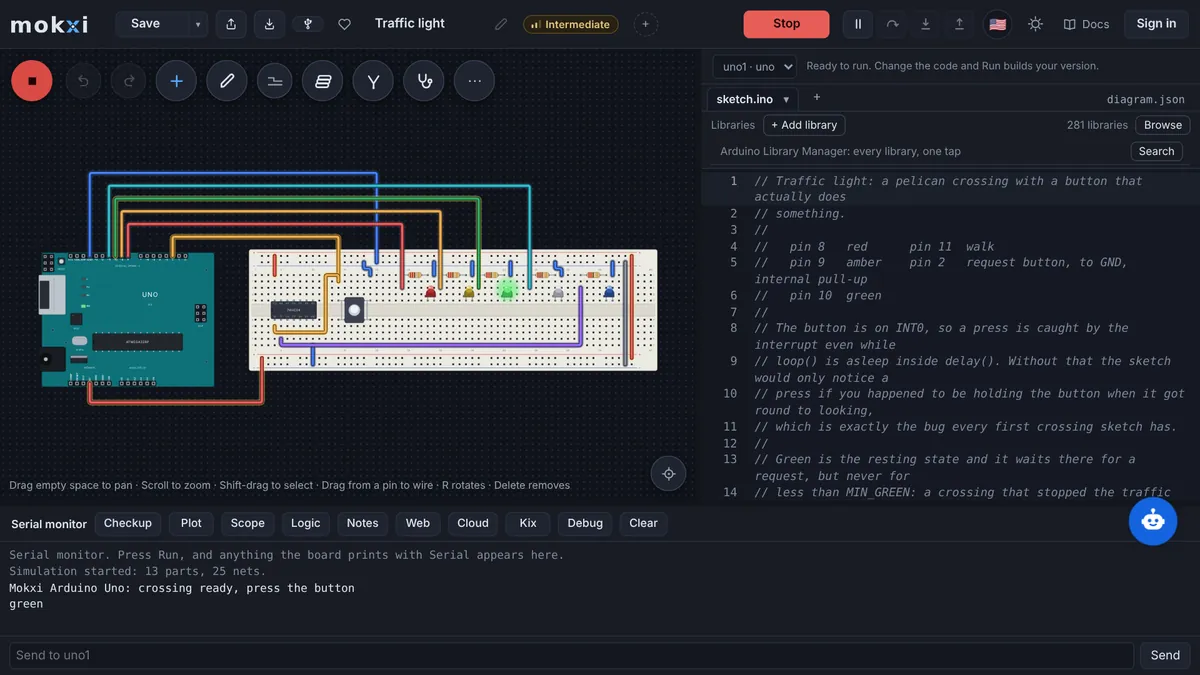
The Arduino, every part where it stood, every wire, and the sketch from the Code tab compiled and running. Nothing to install, and the file never leaves this tab until you save.
An Arduino Uno driving a NeoPixel strip, as Fritzing saved it. It opens in the editor with the wires drawn and the sketch running.
Paste from ChatGPT or Claude
- 1Copy the promptIt teaches your AI how to write a Mokxi project.
- 2Say what to buildPaste the prompt into ChatGPT, Claude, Gemini or Cursor and add what you want, like "a night light with a light sensor".
- 3Paste its answer hereThe whole reply is fine. It opens wired and ready to run.
Only have a photo or a screenshot of the circuit? Give your AI the picture with this prompt instead.
Your AI app supports MCP? Add the Mokxi server and it builds the link for you. How
From Tinkercad? Three steps
- 1Export the circuitIn Tinkercad, open the circuit, press Export and download the .brd file. It has every part and wire.
- 2Download the codeOpen Code, switch to Text and press the download button for the .ino.
- 3Drop both hereChoose or drop the .brd and the .ino together: it opens wired, with the code on the board. No .brd? Paste the Component List with the code under it.
What Mokxi reads from Fritzing
A .fzz file, which is what File, Save writes in Fritzing: a zip holding the sketch (.fz) and the code files its Code tab saved.
A bare .fz file, with the .ino dropped beside it when the sketch has code.
The text of a .fz pasted into the box, for a sketch somebody shared as XML.
A link to a .fz or .fzz in a public GitHub repository, pasted into the box or typed after mokxi.com/ in the address bar.
What comes across
The breadboard view, part for part
Each instance in the breadboard view is placed where it stood, at Fritzing’s 90 pixels to the inch scaled to Mokxi’s grid. Fritzing core parts are matched by their module id, then by the connector names in their .fzp, then by family: the Uno, Nano and Mega, resistors, LEDs and RGB LEDs, buttons and switches, pots, capacitors, diodes, transistors and MOSFETs, the 7805, LDRs, thermistors, the LM35, FSRs, the HC-SR04, the RHT03 and DHT22, piezos, servos, DC motors, 16x2 LCDs, seven-segment displays, the 555, the 74HC595, the L293D, batteries and DC jacks, and chips by part number.
Every wire, and every breadboard strip
Each connection a breadboard-view connector lists joins two pins, and wires join their two ends. The breadboard itself is not drawn; instead the parts in each strip are joined by wires, which connects exactly the same pins. Stripboards are read the same way, copper strips and cuts included.
The code from the Code tab
The .ino files saved inside the .fzz go on the board as its sketch and tabs, compiled in the tab by Mokxi’s own compiler. A bare ATmega chip wired on the breadboard runs as an Arduino Uno, with its pins read as the Uno’s (PB5 is pin 13).
Your notes
Fritzing notes become Mokxi sticky notes at the same spot, so the explanations on a shared sketch stay with it.
What does not, and what happens instead
The schematic and PCB views
Only the breadboard view is read, because that is the circuit as built. A wire drawn only in the schematic was never on the breadboard, and a part placed only in the schematic or PCB view is listed in the report as left out. If every part is only there, the import is refused and the report says to place them on the breadboard view in Fritzing, save, and import again.
Parts from other libraries
A part with no Mokxi equivalent becomes a labeled note where it stood, naming the Fritzing part and how many of its connections were left out. Nothing is dropped silently, and the pins stay listed so the wiring can be redone by hand.
Headers, test leads and crystals
Pin headers and test points are connectors, not parts to simulate, so they are left off while the wires that met at their pins still meet. A crystal or resonator on a bare chip is left off too: a Mokxi board keeps its own clock.
Code the sketch names but the upload lacks
If a .fz names code files that are not in what you dropped, the report asks for the .fzz itself, which carries them, or for the .ino beside the .fz.
From Fritzing to Mokxi
Step 1
In Fritzing, open the sketch and check the parts you need are on the Breadboard tab, not only on Schematic or PCB.
Step 2
Save it (File, Save). Fritzing writes a .fzz, which holds the breadboard, the schematic and any code from the Code tab.
Step 3
Drop the .fzz into the box above, or onto the Mokxi editor’s canvas. The hint under the box says "Looks like a Fritzing sketch" while it reads.
Step 4
The editor opens with the circuit running. The summary chip lists what came across and what did not; press Tidy wires (T) to route the straight pin-to-pin wires around the parts.
Questions about importing from Fritzing
Can I open a .fzz file without installing Fritzing?
Yes. Drop the .fzz on this page and the breadboard view opens in your browser as a live circuit. You see the parts and wires as Fritzing had them and, if the sketch carried code, the board runs it. To edit the Fritzing file itself you still need Fritzing; Mokxi saves its own projects and can export a Wokwi project, an Arduino sketch folder or a PlatformIO project.
Does Mokxi read the Fritzing schematic view?
No. Only the breadboard view is read, since that is the circuit as it was built. Parts that exist only in the schematic or PCB view are named in the import report as left out.
What happens to a part Mokxi does not have?
It becomes a labeled note at the same place on the canvas, with the Fritzing part’s name and the number of connections that were left out. You can replace it with a Mokxi part and rewire from the list.
Why do the wires look straight after the import?
Wires are drawn straight from pin to pin so that every connection is exactly what Fritzing listed. Press Tidy wires (T) in the editor and they are routed around the parts.
Can I simulate a Fritzing circuit with Arduino code?
Yes, when the sketch has code in its Code tab, since the .ino is saved inside the .fzz and goes onto the board. Mokxi compiles it in the browser with the common Arduino libraries and runs it against the circuit, with a serial monitor underneath.
Where to next
What this page says about Fritzing was checked in November 2026 against Fritzing: Learning.