Open a Cirkit Designer project link and simulate it
Paste a shared Cirkit Designer project link, app.cirkitdesigner.com/project/<id>.
Drop it here, or paste it
Mokxi’s server collects the project file, the browser turns it into a Wokwi-shaped diagram and sketch, and opens it running: the Arduino or ESP32, the sensors and displays it knows, the wires between them and the code from the project. Nothing has to be exported first; the link is the export.
Drop a Cirkit Designer file above, or paste its text, and it opens in the editor.
Paste from ChatGPT or ClaudeCopy a prompt, say what to build, paste the answer.
- 1Copy the promptIt teaches your AI how to write a Mokxi project.
- 2Say what to buildPaste the prompt into ChatGPT, Claude, Gemini or Cursor and add what you want, like "a night light with a light sensor".
- 3Paste its answer hereThe whole reply is fine. It opens wired and ready to run.
Only have a photo or a screenshot of the circuit? Give your AI the picture with this prompt instead.
Your AI app supports MCP? Add the Mokxi server and it builds the link for you. How
From Tinkercad? Three stepsBring a circuit across wired, with its code.
- 1Export the circuitIn Tinkercad, open the circuit, press Export and download the .brd file. It has every part and wire.
- 2Download the codeOpen Code, switch to Text and press the download button for the .ino.
- 3Drop both hereChoose or drop the .brd and the .ino together: it opens wired, with the code on the board. No .brd? Paste the Component List with the code under it.
What Mokxi reads from Cirkit Designer
A shared project link, https://app.cirkitdesigner.com/project/<uuid>, pasted into the import box or into the editor’s Import a project dialog.
The same link with a version number after it, /project/<uuid>/<n>, which opens that version.
Not the mokxi.com/ prefix: app.cirkitdesigner.com is not among the hosts the address-bar shortcut knows, so a Cirkit link typed after mokxi.com/ does not open. Paste it into the box instead.
A shared project only. The link is read for a UUID and nothing else, and Mokxi’s server fetches the .ckt from Cirkit’s own file storage with no sign-in.
What comes across
Boards and parts, by their library names
Each part is matched by the name Cirkit’s library gives it, first rule wins: Arduino Mega, Nano and Uno, ESP32 and ESP32-S3, Raspberry Pi Pico, LEDs and RGB LEDs, NeoPixel rings, strips and single pixels with the pixel count read from the name, TM1637 and MAX7219 displays, single and four-digit seven-segment displays, resistors with their Resistance property, pushbuttons, buzzers, servos (SG90, MG90S), pots, DHT11 and DHT22, HC-SR04, SSD1306, 16x2 LCDs plain or I2C, relay modules, 74HC595, L298N, DS18B20, MPU6050, IR receivers, PIR sensors, photoresistor modules and keypads.
Wires, from pin_to_graph
Cirkit stores each pin’s neighbors in pin_to_graph; the importer walks them into nets, so a wire with bends or a junction is one connection, and each net becomes wires between the mapped pins, with Cirkit’s pin labels turned into the names the Wokwi reader expects.
The code tree
The board’s code tree is read depth first; the .ino, .pde, .h, .hpp, .c, .cpp and .py files at its top level come along, and the first sketch is renamed sketch.ino and placed first.
Positions, scaled
Cirkit draws at 15 pixels per tenth of an inch and Wokwi at 9.6; positions are scaled, moved so the top-left part sits near the origin, and handed to the Wokwi reader. Everything after that is the same import a Wokwi project gets, report included.
What does not, and what happens instead
Parts with no rule
A part no rule matches is placed as a placeholder named for it (cirkit-<slug>), which the Wokwi reader turns into a pink note at its place, and the report and the unmapped count list it. The pin labels are kept in the report, so a Mokxi part can take its place and be wired up by hand.
Cirkit’s own Export to Wokwi
Mokxi never calls Cirkit Designer’s Export to Wokwi matcher; the part table is Mokxi’s own, kept in the browser. A part their export would map may be a note here, and the reverse.
Rate limits and caps
Each import costs Cirkit about four requests, so the server allows four imports at once from one address, then one every twenty seconds. A fetched project is cached for five minutes and a part’s definition for a day; a project file over 4 MB is refused.
Projects that were not shared
Mokxi’s server sends no sign-in, so a project that is not shared cannot be fetched. Share it in Cirkit Designer first, then paste the shared link.
From Cirkit Designer to Mokxi
Step 1
In Cirkit Designer, open the project and copy its shared project link, https://app.cirkitdesigner.com/project/<uuid>.
Step 2
Drop it in the import box above and press Import. The box answers "Looks like a shared Cirkit Designer project".
Step 3
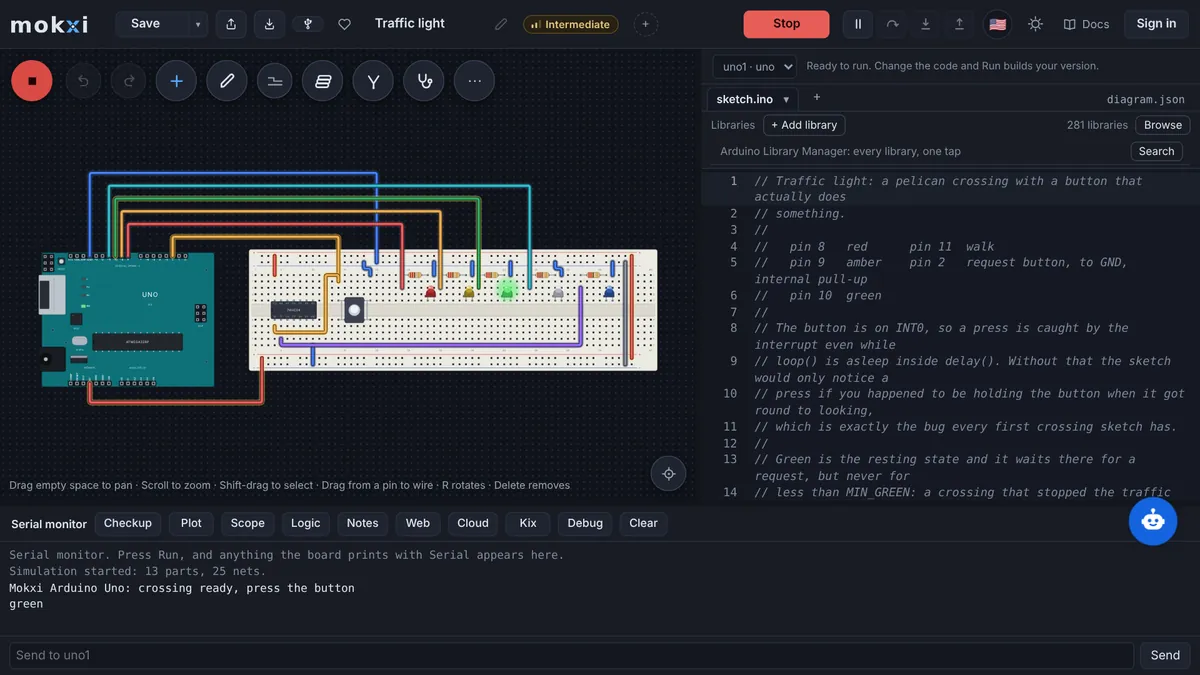
The editor shows the circuit running, and the summary chip names Cirkit Designer as the source; parts with no Mokxi equivalent are pink notes.
Step 4
Use Tidy wires (T) on the straight wires, and check the library report for any #include the compiler does not carry.
Questions about importing from Cirkit Designer
How do I open a Cirkit Designer project in a simulator?
Copy the shared project link and paste it into the import box on this page. Mokxi’s server fetches the project file, the browser maps its parts and nets, and the circuit starts running in the editor.
Does Mokxi use Cirkit Designer’s Export to Wokwi?
No. The mapping from Cirkit part names to simulator parts is a table of Mokxi’s own, applied in your browser, and nothing is sent to Cirkit’s matcher. Only the project file and the part definitions are fetched.
Which Cirkit parts come across?
The common Arduino, ESP32 and Pico boards, LEDs, NeoPixels, seven-segment and TM1637 displays, resistors, buttons, buzzers, servos, pots, the usual sensors (DHT, HC-SR04, DS18B20, MPU6050, PIR, IR, photoresistor module), OLED and LCD displays, relays, the 74HC595 and the L298N, and keypads. Anything else stands as a named note.
Why does mokxi.com/ in front of my Cirkit link not work?
The address-bar shortcut only knows a fixed list of hosts, and app.cirkitdesigner.com is not on it yet. Paste the link into the box instead, or into the editor’s Import a project dialog, and it is fetched the same way.
Does my browser download anything from Cirkit?
No. Mokxi’s server makes the handful of requests to Cirkit, with size caps and a timeout, and sends your browser a small JSON of parts, pin labels and nets. Nothing in the project file is run anywhere.
Where to next
What this page says about Cirkit Designer was checked in November 2026 against Cirkit Designer.